
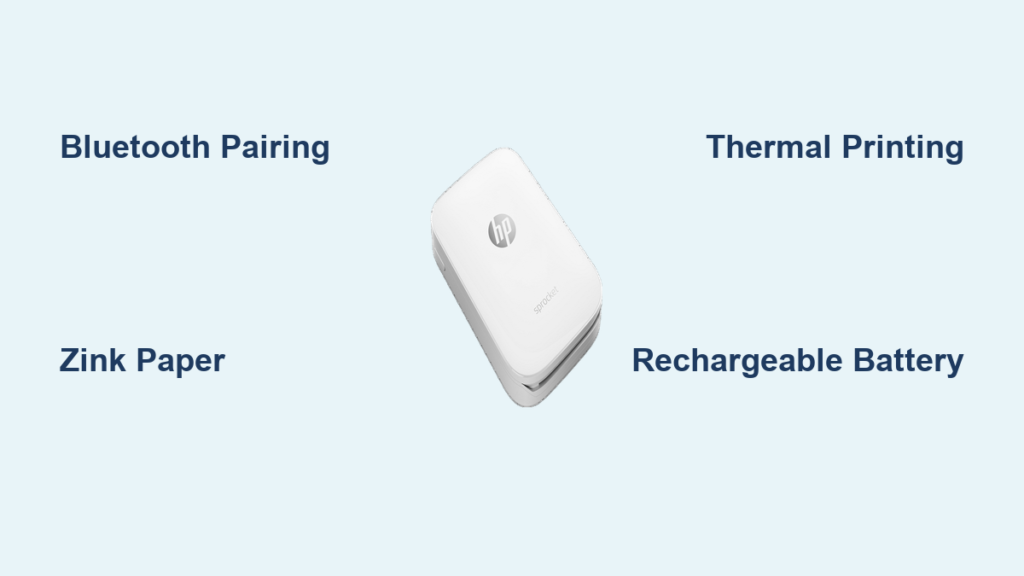
You snap a photo on your phone, tap a button, and moments later, a tiny printed version appears in your hand. No wires, no ink cartridges, no hassle. This is the magic of the HP Sprocket printer, a pocket-sized device that turns digital memories into instant physical prints. But how does the HP Sprocket printer work exactly? It is not wizardry. It is smart engineering and modern thermal printing technology working behind the scenes.
In this guide, we will break down exactly how the HP Sprocket transforms your smartphone photos into sticky-backed keepsakes using portable design, Bluetooth connectivity, and ZINK® paper technology. Whether you are a casual user or considering a purchase, you will learn how it functions, what powers it, and why it stands out in the world of instant printing.
Connects via Bluetooth to Your Phone
The HP Sprocket relies on wireless technology to receive photos from your smartphone. Instead of Wi-Fi or cables, it uses low-energy Bluetooth to pair quickly and efficiently.
Pairing Process Takes Under a Minute
To start, you download the HP Sprocket app (available for iOS and Android), power on the printer, and follow the on-screen prompts. The app detects nearby devices, and once you select your Sprocket model, pairing is complete in seconds. After the initial setup, the printer often reconnects automatically when turned on near your phone.
No Internet Required After Setup
Once paired, the printer does not need an internet connection. The photo data travels directly from your phone to the printer via Bluetooth, making it perfect for outdoor events, travel, or off-grid use. This direct link ensures fast transmission and privacy. Your images stay on your device unless you choose to share them.
Uses ZINK® Zero-Ink Printing Technology
One of the most innovative aspects of the HP Sprocket is that it prints without ink. There are no cartridges to replace or refill. Instead, it uses ZINK®, short for “Zero Ink,” a special type of color-changing paper.
ZINK Paper Contains Embedded Color Crystals
The magic happens inside the ZINK paper itself. Each sheet has millions of dye crystals in three layers: cyan, yellow, and magenta. These crystals are invisible until activated by heat. When the printer applies precise amounts of heat to specific areas, the crystals change color, forming a full-color image pixel by pixel.
Thermal Printhead Applies Heat to Develop Images
Inside the HP Sprocket is a thermal printhead, a small component that heats up rapidly and moves across the paper. As it passes over the ZINK sheet, it delivers controlled bursts of heat based on the image data. The result is a smudge-proof, waterproof 2×3-inch photo that develops instantly with no drying time.
Prints Sticky-Backed 2×3-Inch Photos
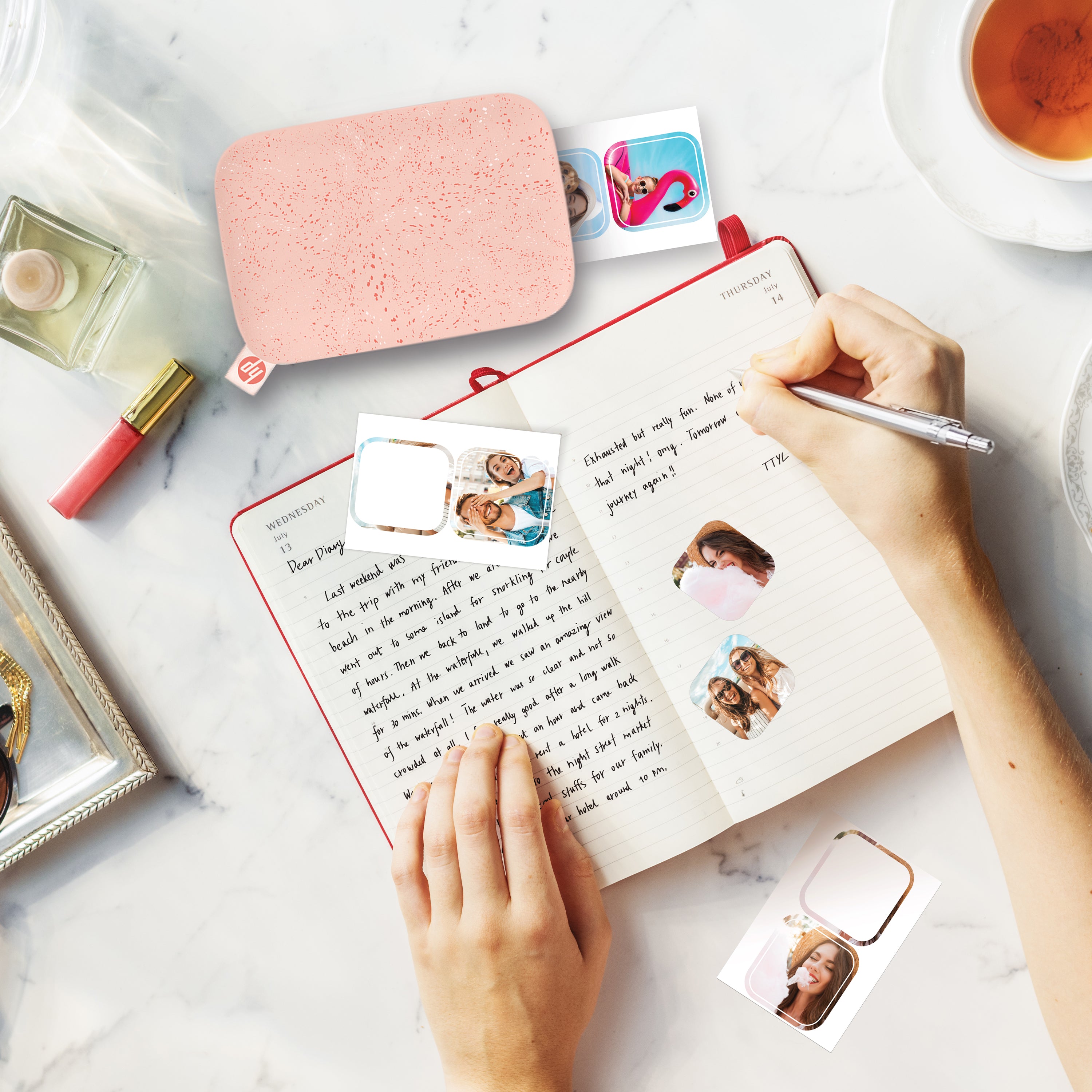
The HP Sprocket produces credit-card-sized prints that double as photo stickers. Each print comes out with an adhesive backing, ready to stick on journals, laptops, or gift cards.
Instant Peel-and-Stick Design
After the print exits the device, you simply peel off the backing, and the photo becomes a sticker. This makes the HP Sprocket popular for events like weddings, parties, and travel journals. The prints are laminated, so they resist smudging, water, and tearing, ideal for everyday handling.
Pre-Cut Sheets Require No Trimming
ZINK paper for the HP Sprocket comes in packs of 10 or 20 pre-cut 2×3-inch sheets. There is no need to cut or trim after printing. The paper feeds automatically through the printer, and the finished photo ejects smoothly from the front slot.
Powered by a Rechargeable Battery
Despite its compact size, the HP Sprocket runs on a built-in rechargeable lithium-ion battery, allowing true portability.
Charges via Micro-USB or USB-C
Depending on the model (Sprocket, Sprocket+, Sprocket 2nd Edition, or Sprocket Studio), charging is done via Micro-USB or USB-C. A full charge typically takes 1 to 2 hours and supports up to 20 to 30 prints per charge, depending on usage and image complexity.
Battery Life Supports On-the-Go Use
You can use the printer anywhere, no outlet needed. Whether at a concert, picnic, or birthday party, the battery lets you print spontaneously. A small LED indicator shows charging status: red when charging and green when full.
Prints from the HP Sprocket App
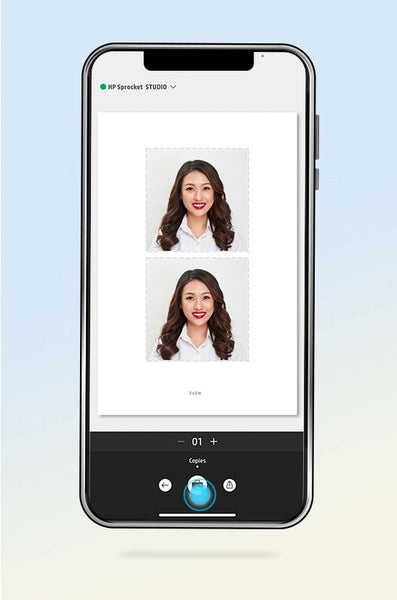
All printing is managed through the official HP Sprocket app, which acts as both a control panel and creative studio.
Edit Photos Before Printing
Before sending a photo to print, you can apply filters, add text, frames, or stickers, and even create collages. The app supports images from your camera roll, social media, or cloud storage, giving you flexibility in what you print.
Print Borderless or Framed Images
You can choose between borderless prints that fill the entire 2×3-inch sheet or framed versions that mimic classic Polaroid style. Some models even support augmented reality (AR) prints. Scanning the photo in the app can play a video or sound clip linked to the moment.
No Drivers or Software Needed
Unlike traditional printers, the HP Sprocket does not require drivers, desktop software, or complicated setup.
Works Without a Computer
The entire process is mobile-first. There is no need to connect to a laptop or install printer drivers. Everything, from editing to printing, is handled within the app on your smartphone.
Automatic Paper Detection
The printer detects when paper is loaded and powers on automatically when a print job is sent. If the tray is empty, the app notifies you so you can insert a new pack of ZINK paper.
Compatible with iOS and Android
The HP Sprocket is designed for broad smartphone compatibility.
Seamless Integration with Mobile Operating Systems
Whether you use an iPhone or an Android device, the HP Sprocket app integrates smoothly with your operating system. It accesses your photo library with permission and supports sharing options like Instagram, Facebook, and messaging apps.
Regular App Updates Improve Performance
HP releases periodic updates to the app that enhance print quality, add new filters, improve Bluetooth stability, and introduce seasonal themes. Keeping the app updated ensures the best experience.
Ideal for Instant Sharing and Gifting

The HP Sprocket is not meant to replace home printers. It is built for moments.
Great for Events and Social Gatherings
At parties, weddings, or festivals, the HP Sprocket becomes a fun interactive tool. Guests can select photos from their phones and walk away with a physical memory in seconds. It is also popular at photo booths and DIY wedding favors.
Encourages Tangible Memories in a Digital Age
In an era of endless scrolling, the HP Sprocket brings back the joy of holding a photo. The tactile experience of peeling off a sticky print and placing it on a wall or notebook adds emotional value that digital images often lack.
Frequently Asked Questions About the HP Sprocket Printer
Does the HP Sprocket Printer Use Ink?
No, the HP Sprocket does not use ink. It uses ZINK® (Zero Ink) paper, which contains color crystals embedded inside. Heat from the printer’s thermal printhead activates these crystals to produce full-color images without any cartridges or ribbons.
How Long Does It Take to Print a Photo with the HP Sprocket?
A single 2×3-inch photo typically prints in about 30 to 60 seconds. The exact time depends on the model, image complexity, and Bluetooth connection strength.
Can the HP Sprocket Print Photos from Social Media?
Yes, you can print photos directly from social media through the HP Sprocket app. The app allows you to import images from platforms like Instagram, Facebook, and Google Photos before sending them to the printer.
What Type of Paper Does the HP Sprocket Use?
The HP Sprocket uses proprietary HP ZINK® photo paper, available in 2×3-inch sticky-backed sheets. This paper is smudge-proof, waterproof, and tear-resistant once printed.
How Many Prints Can the HP Sprocket Make Per Charge?
On a full charge, most HP Sprocket models can produce roughly 20 to 30 prints. Battery life varies based on usage habits, image detail, and environmental factors.
Does the HP Sprocket Need Wi-Fi to Work?
No, the HP Sprocket does not require Wi-Fi. It connects to your smartphone via Bluetooth, so you can print anywhere without needing an internet connection after the initial app setup.
Key Takeaways on How the HP Sprocket Printer Works
The HP Sprocket printer works by combining Bluetooth connectivity, ZINK® zero-ink paper, and a mobile-first design to deliver instant, portable photo printing. It eliminates the need for ink, wires, or computers, making it one of the most user-friendly instant printers available.
By understanding how it uses heat-activated paper, rechargeable power, and smartphone integration, you can get the most out of this compact device. Whether you want to print party favors, decorate a journal, or simply hold a memory in your hand, the HP Sprocket turns digital moments into tangible keepsakes in seconds.
Ready to try it yourself? Download the HP Sprocket app, load a pack of ZINK paper, and start printing your favorite photos today.


