
You’ve probably seen sleek, compact printers that promise high-quality prints without ever needing an ink cartridge. No mess, no refills, no wasted plastic, just clean, instant printing. These devices are called inkless printers, and they’re changing how we think about document and photo output. But how does an inkless printer work, exactly? Unlike traditional inkjet or laser printers that rely on liquid ink or toner powder, inkless printers use thermal or electrochemical processes to produce text and images.
In this guide, we’ll break down the science behind inkless printing, explore the two main technologies used today, and explain what sets them apart from conventional printers. You’ll learn how heat creates images, why special paper is essential, and what kinds of tasks these printers handle best.
The Core Principle: Heat Instead of Ink
All inkless printers share one fundamental concept: they use controlled heat to trigger chemical reactions in specially treated paper. The paper itself contains the “ink” in the form of heat-activated dyes or coatings. When the printer’s thermal head applies precise temperatures, these chemicals change color and form visible text or images.
This approach eliminates the need for cartridges, toner bottles, or ribbons. You only need to load paper and print.
Why No Cartridges Are Needed
Traditional printers spray liquid droplets or fuse plastic powder onto paper. Inkless printers skip both steps entirely. The color-producing chemicals are already inside the paper’s structure, waiting to be activated by heat. This design reduces mechanical complexity and consumable waste.
Thermal Printing Explained
Thermal printing is one of the most common inkless printing methods, widely used in point-of-sale systems, ATMs, and shipping label printers. It relies entirely on heat to create visible marks on specially coated paper.
Direct Thermal Process
In direct thermal printing, the printer contains a print head with tiny heating elements. When you send a print command, selected elements heat up and contact heat-sensitive paper. The coated side contains a layer of colorless dye and developer chemicals. When heated, these chemicals react and turn black, forming text or images.
Each heating element corresponds to a single pixel, allowing for sharp, readable output. Since there are few moving parts besides the paper feed, thermal printers are quiet, durable, and require minimal maintenance.
What Thermal Paper Looks Like
Thermal paper has a slightly glossy surface, especially noticeable under bright light. It feels smoother than regular paper and may darken when scratched with a fingernail or exposed to heat, like leaving a receipt in a hot car. This sensitivity is a trade-off: thermal prints can fade over time when exposed to sunlight, heat, or certain chemicals.
For best results, store thermal prints in cool, dark places. Avoid placing them in wallets or car dashboards where heat buildup can degrade the image.
Zink Technology: Zero Ink Printing
Zink, short for “Zero Ink,” is a full-color inkless printing technology commonly found in portable photo printers. It allows users to print vibrant, smudge-proof photos from smartphones without ever loading ink cartridges.
How Zink Paper Works
Zink paper is the heart of the system. It contains multiple dye layers embedded within the paper itself, typically cyan, magenta, and yellow. Each layer responds to a specific temperature range. The printer’s thermal head applies varying heat levels to activate each color independently.
The process works like this:
– Low heat activates the yellow layer
– Medium heat triggers magenta
– High heat produces cyan
By controlling temperature and duration at each pixel location, the printer mixes these colors to create full-color images. A final protective overcoat layer prevents smudging and water damage.
Print Quality and Speed
Zink printers typically produce 2×3 inch or 3×4 inch photos with resolution up to 313 dpi. While not as sharp as lab-printed photos, the quality works well for social sharing, stickers, or keepsakes. Most prints complete in under 30 seconds, making Zink ideal for instant printing at events or retail displays.
One downside: Zink paper costs more per sheet than standard photo paper due to its complex chemical structure.
Key Components of Inkless Printers
Despite different technologies, all inkless printers share core components that enable their operation.
Thermal Print Head
The thermal print head applies controlled heat to the paper. It consists of an array of microscopic resistors that heat up when electric current passes through them. Precision timing ensures each dot receives just enough heat to trigger the chemical reaction without damaging the paper.
Over time, dust or debris can accumulate on the print head, leading to faint or missing lines. Cleaning with a manufacturer-recommended wipe restores performance.
Precision Paper Feed Mechanism
Because inkless printing depends on exact alignment between the thermal head and reactive paper, a reliable paper feed system is crucial. Small rollers advance the paper at consistent speeds, ensuring each pixel prints in the correct location.
Jams are rare but can occur if the paper is wrinkled or improperly loaded. Always use manufacturer-approved paper to avoid feeding issues.
Advantages of Inkless Printers
Inkless printers offer several compelling benefits over traditional printing methods.
Lower Maintenance Needs
With no ink cartridges to replace, there’s no risk of clogged nozzles, dried ink, or messy spills. Thermal and Zink printers have fewer consumables, just the paper, making them ideal for mobile users, travelers, or businesses that value reliability.
Environmentally Friendly Design
Ink cartridges contribute significantly to electronic waste. By eliminating them, inkless printers reduce plastic waste and lower the carbon footprint associated with manufacturing and shipping ink. Many Zink papers are now made with recyclable or biodegradable materials.
Compact and Portable
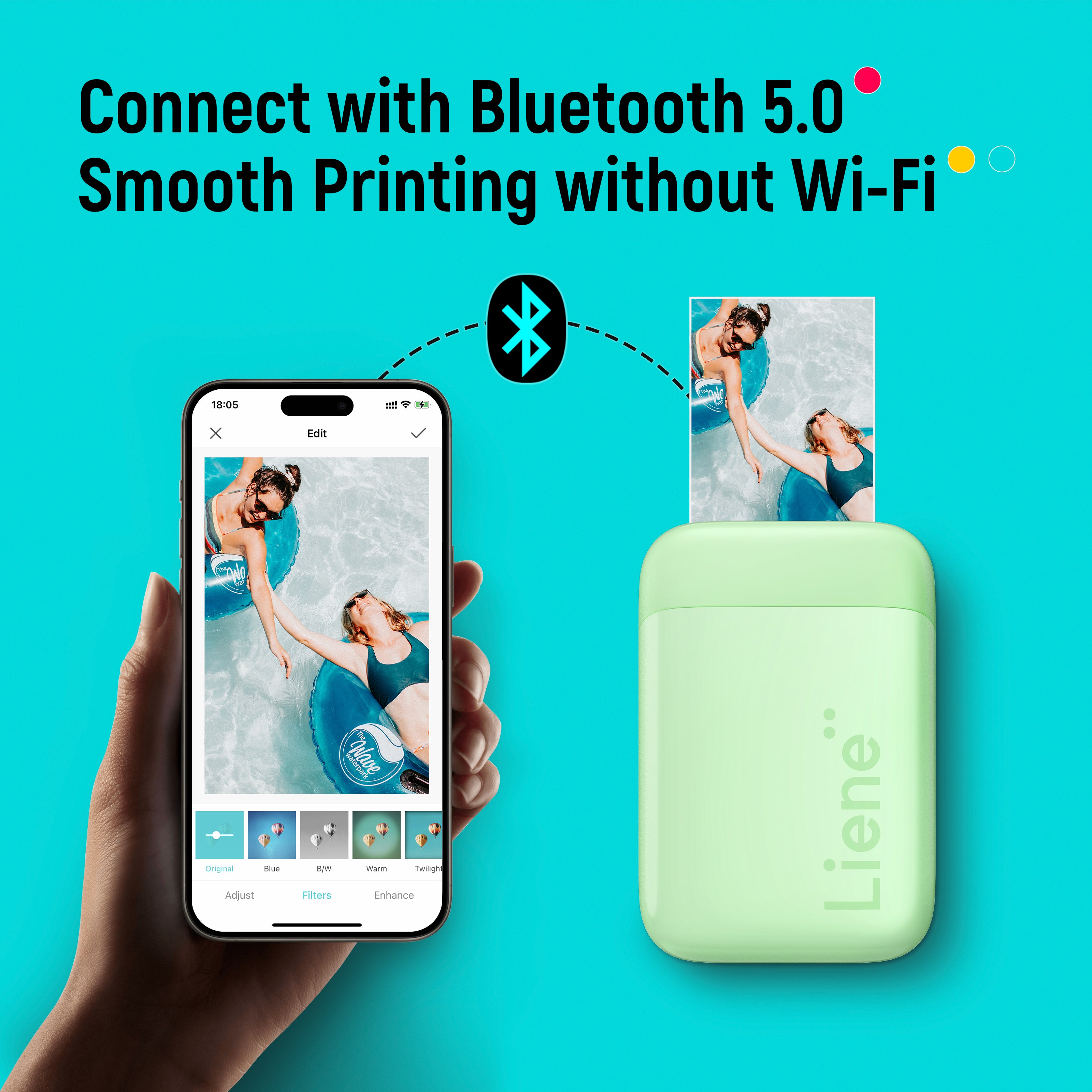
Most inkless printers are designed for portability. Weighing less than a pound and often powered by rechargeable batteries, they fit in a pocket or bag. Pair one with your smartphone via Bluetooth, and you can print photos, documents, or labels anywhere.
Limitations to Consider
While convenient, inkless printers aren’t suitable for every printing need.
Fading Over Time
Direct thermal prints are especially prone to fading when exposed to heat, light, or UV radiation. A receipt left in the sun may become unreadable in weeks. For archival purposes, thermal printing is not recommended.
Zink prints fare better, with manufacturers claiming up to 10 years of indoor stability, but they still degrade faster than traditional inkjet prints.
Higher Paper Costs
Since the ink is built into the paper, inkless printing shifts the cost from cartridges to paper. Zink and thermal papers cost more per sheet than standard printer paper. Bulk purchases help reduce the per-sheet price.
Limited Color Range and Media Types
Most inkless printers support only one or two paper sizes and types. You won’t find heavy cardstock, matte finishes, or borderless large-format options. Color gamut on Zink printers is also narrower than high-end photo printers, so professional photographers may find the output lacking.
Common Uses for Inkless Printers
Inkless printers excel in specific applications where speed, simplicity, and portability matter most.
Retail and Hospitality Receipts
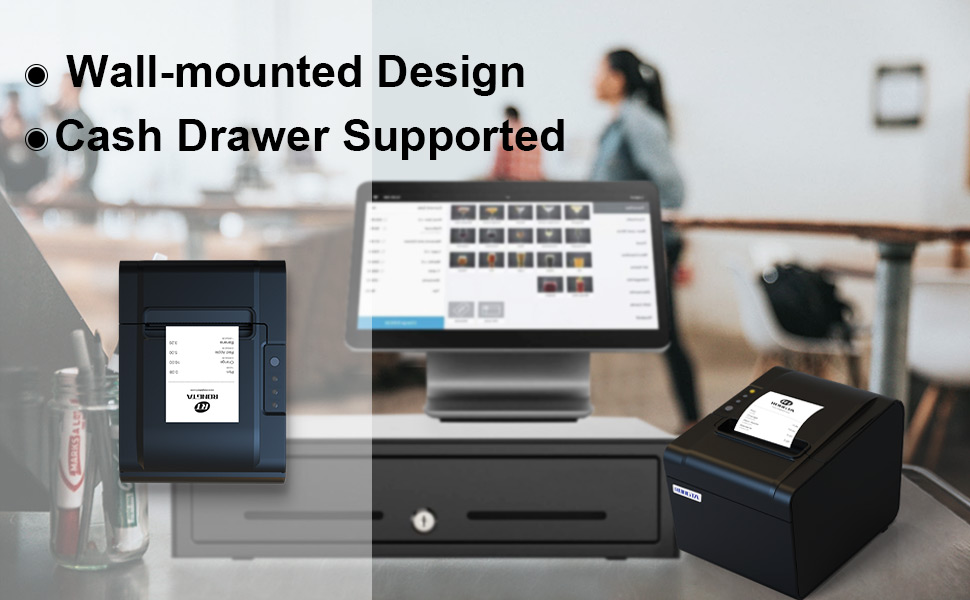
Most stores and restaurants now use thermal printers for receipts. They’re fast, quiet, and integrate easily with POS systems. With no ink to refill, staff spend less time on maintenance and more time serving customers.
Mobile Photo Sharing
Zink-powered photo printers let users print social media photos instantly. Kids love them for making stickers, while travelers use them to create mini photo albums on the go.
Label and Shipping Printers
Handheld thermal printers are popular for generating shipping labels. Many services offer compatible models that connect to smartphones or tablets, enabling fast, on-the-spot label printing without needing a full desktop setup.
How to Choose the Right Inkless Printer
Selecting the best inkless printer depends on your primary use case.
Match Printer to Purpose
Start by asking yourself a few questions:
– Are you printing receipts, labels, or photos?
– Do you need color or is black-and-white sufficient?
– Will you print indoors or in varying temperatures?
For receipts and text-only use, a direct thermal printer is cost-effective. For colorful, shareable prints, go with a Zink model.
Check Paper Availability
Ensure replacement paper is readily available and reasonably priced. Some niche printers use proprietary sizes that are harder to find or more expensive.
Evaluate Connectivity Options
Most modern inkless printers support Bluetooth and mobile apps. Look for models with NFC pairing or built-in photo editing features if you value convenience.
Maintenance Tips for Longevity
Even with minimal upkeep, proper care extends the life of your inkless printer.
Clean the Print Head Regularly
Use a dry or slightly damp lint-free cloth to remove dust and residue. Do this every few weeks or after every few hundred prints.
Avoid alcohol-based cleaners unless specified by the manufacturer, as they may damage sensitive components.
Store Paper Properly
Keep unused paper in its original sealed packaging to protect it from light, heat, and moisture. Exposure can cause premature activation of dyes or reduced print quality.
Power Down When Not in Use
Turn off the printer when not in use to preserve battery life and prevent accidental overheating. If storing long-term, remove batteries or disconnect power.
Frequently Asked Questions About Inkless Printers
Do inkless printers really need no ink at all?
Yes, inkless printers use heat-activated paper that contains color-producing chemicals within its layers. There are no cartridges, toner, or ribbons to replace. The paper itself holds everything needed to create an image.
Can inkless printers print in color?
Some can. Zink technology produces full-color photos using embedded cyan, magenta, and yellow dye layers activated at different temperatures. Direct thermal printers, however, typically print only in black or a single dark color.
How long do inkless prints last?
Direct thermal prints may fade in weeks or months if exposed to heat, light, or chemicals. Zink prints last longer, with manufacturers claiming up to 10 years of stability under indoor conditions. Neither matches the longevity of archival inkjet prints.
Are inkless printers cheaper to operate than inkjet printers?
It depends on usage. Inkless printers eliminate cartridge costs, but their special paper costs more per sheet. For high-volume printing, inkjet may be cheaper. For low-volume, occasional prints, inkless printers save money by avoiding cartridge replacements.
What kind of paper do inkless printers use?
Inkless printers require proprietary paper designed for their specific technology. Thermal printers use heat-sensitive paper with a chemical coating. Zink printers use paper with embedded dye layers. Standard copy paper will not work in either system.
Key Takeaways for Understanding Inkless Printing
Inkless printers represent a smart alternative to traditional printing by using heat-activated paper instead of ink cartridges. The technology relies on thermal print heads that trigger chemical reactions in specially treated paper, producing text or images without any liquid or powder consumables.
The two main types serve different purposes. Direct thermal printers handle receipts, labels, and text efficiently. Zink printers produce instant color photos for mobile users. Both offer lower maintenance, reduced waste, and excellent portability compared to conventional printers.
Your next step is to match the technology to your needs. If you run a business that prints receipts, a direct thermal model saves time and hassle. If you want to print photos from your phone, a Zink printer delivers fun, instant results. Understanding how an inkless printer works helps you choose wisely and get the most from this innovative technology.


