Wondering how long a printer cartridge lasts before drying out or expiring? The answer depends heavily on whether the unit is still sealed or already installed in your machine. While unopened ink typically survives 18 to 24 months, installed cartridges often fail within 3 to 6 months if you do not print regularly.
This guide explains exactly why ink dries out, how laser toner differs from liquid ink, and what steps you can take to extend cartridge life. You will learn specific storage tips, troubleshooting fixes for clogged nozzles, and which printer types suit infrequent users best.
Unopened Cartridge Shelf Life Expectations
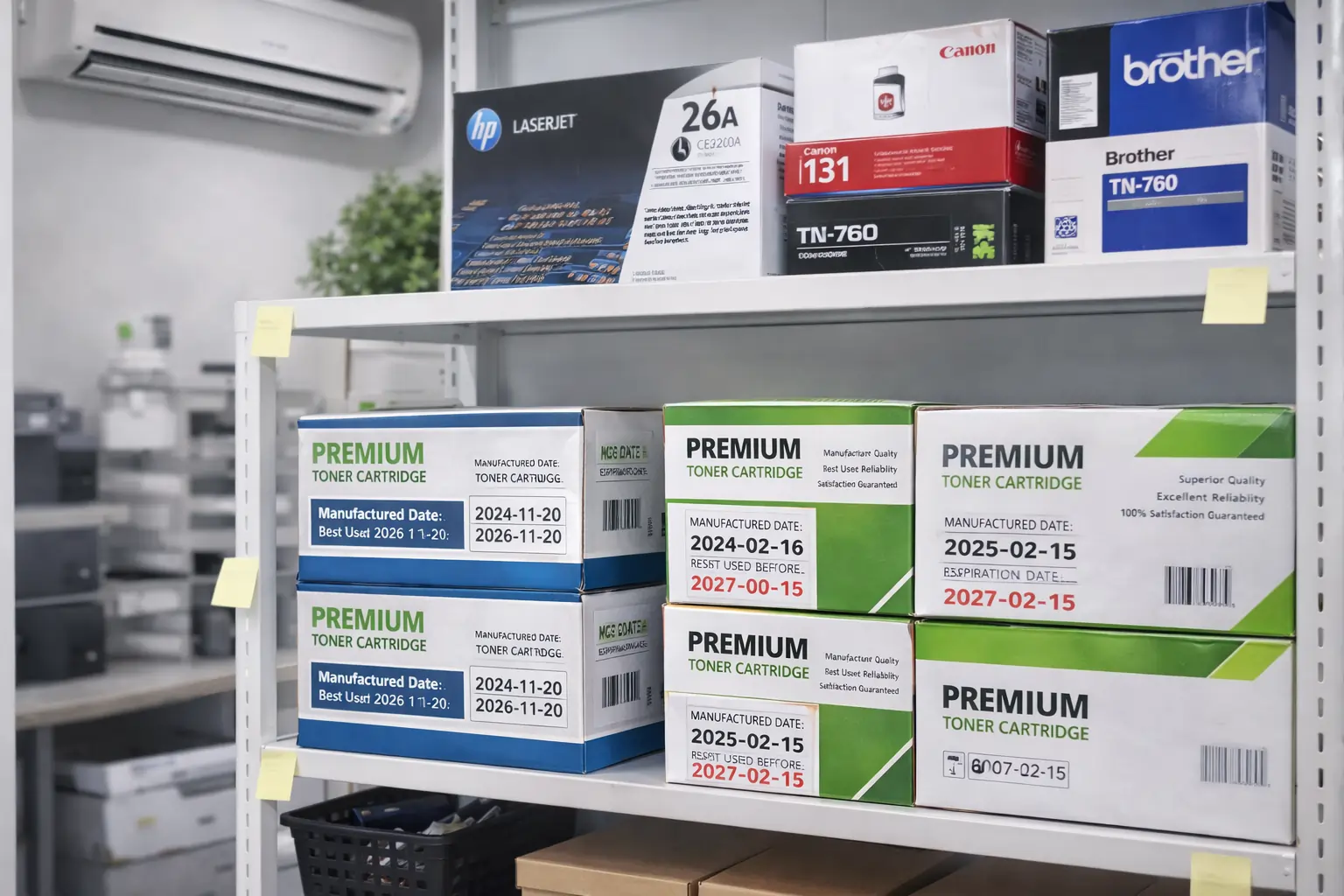
Proper storage is the single biggest factor in determining how long a printer cartridge lasts while sitting on your shelf. Manufacturers design packaging to protect liquid ink from air and light, but only if you leave it sealed until the moment of installation.
Ideal Temperature and Humidity Ranges
Store your spare cartridges in a cool, dry environment between 0°C and 35°C (32°F to 95°F). Avoid places like garages, attics, or cars where temperatures swing wildly. Extreme heat accelerates chemical breakdown, while freezing conditions can damage internal seals.
Importance of Original Sealed Packaging
Keep cartridges inside their original vacuum-sealed bags until you are ready to use them. This packaging prevents air exposure, which is the primary cause of premature ink degradation. Once you tear open the bag, the countdown to evaporation begins immediately.
Interpreting Expiration Dates Correctly
Check the “use by” date printed on the box or the cartridge itself before installing. Using ink past this date does not mean it is useless, but print quality may decline significantly. Colors might appear washed out or inconsistent compared to fresh supplies.
Installed Ink Cartridge Lifespan Timeline
Once you install a cartridge, the clock starts ticking faster due to constant air exposure within the printhead assembly. Even when the printer is off, the nozzles remain vulnerable to evaporation.
Critical Idle Time Periods
| Idle Duration | Symptoms | Required Action |
|---|---|---|
| 3–7 days | No issues | None needed |
| 2–3 weeks | Slight fading | Run 1 cleaning cycle |
| 1–2 months | Noticeable clogs | Multiple cleaning cycles |
| 3–6 months | Streaks, missing colors | Deep cleaning or manual fix |
| 6+ months | Permanent blockage | Replace cartridge |
The table above shows that waiting longer than three months often leads to severe clogging. After six months of inactivity, dried ink usually becomes impossible to remove.
Why Ink Evaporates in the Printhead
Inkjet printers keep nozzles moist to ensure instant printing readiness. When idle, solvents in the ink evaporate, leaving thick pigment or dye residue behind. These residues harden and block the microscopic nozzles, stopping ink flow even if the cartridge is full.
Toner vs Ink Durability Comparison
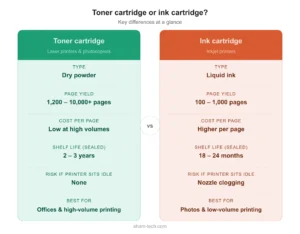
Understanding the difference between liquid ink and dry toner helps answer how long a printer cartridge lasts for your specific needs. The physical state of the printing medium dictates its longevity.
Toner Powder Does Not Dry Out
Laser printers use toner, which is a fine dry powder rather than a liquid. Because there is no solvent to evaporate, toner does not dry out. An unopened toner cartridge can last 3 to 5 years or more without losing quality.
Liquid Ink Vulnerability
In contrast, ink cartridges begin losing viability the moment they are installed. Dye-based inks found in many consumer models dry faster than pigment-based alternatives. Without regular use, expect a usable life of only 3 to 6 months before clogs appear.
Printer Type Impact on Cartridge Longevity
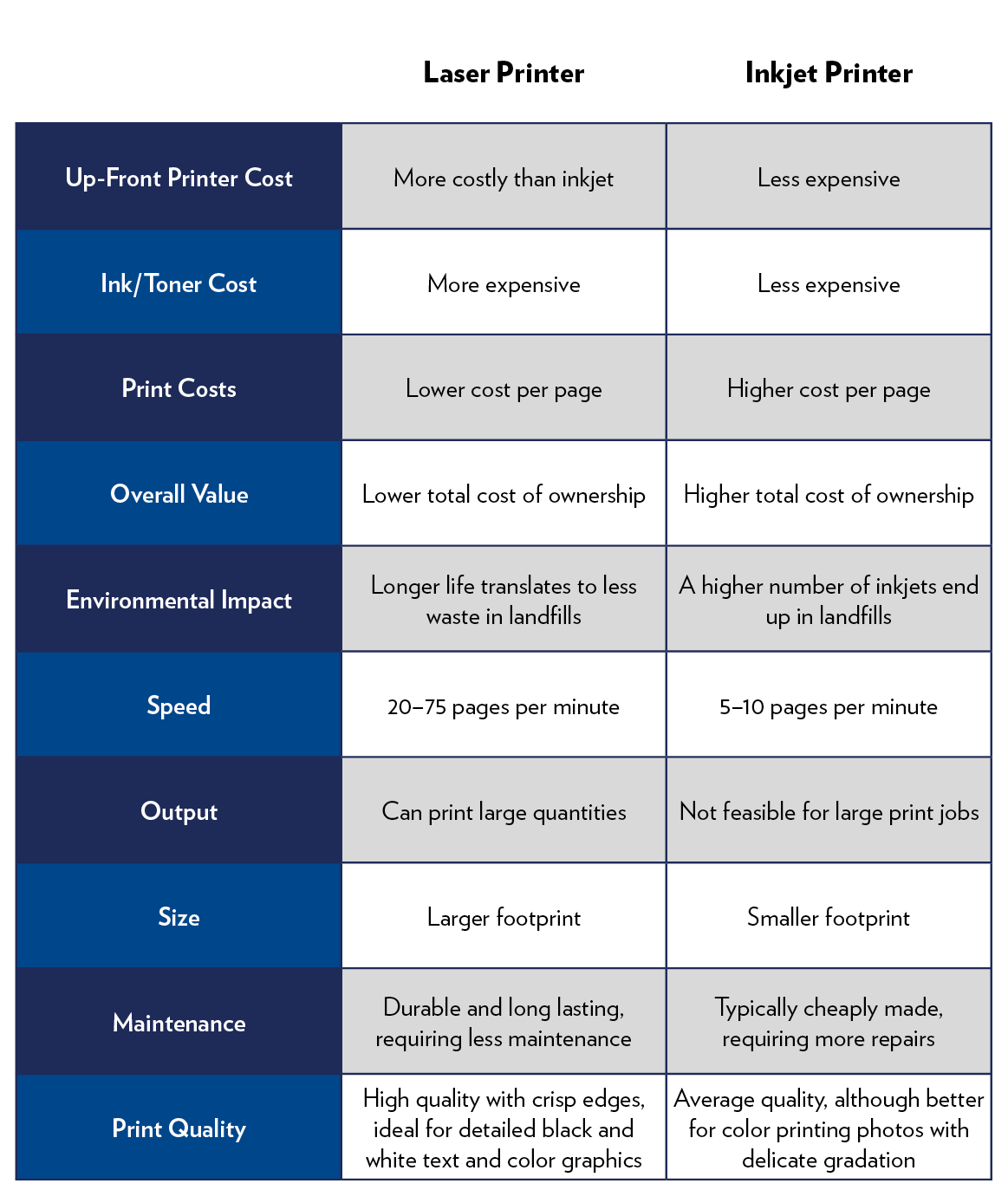
Your choice of printer model directly influences how long your supplies last during periods of inactivity. Not all inkjet technologies handle idle time equally well.
Standard Inkjet Cartridge Models
- Installed life: 3–6 months
- Unopened shelf life: 18–24 months
- Best for: Frequent weekly printing
- Drawback: High risk of drying if idle
These common home printers are problematic for occasional users. Frequent cleaning cycles waste expensive ink, leading to higher overall costs.
Ink Tank and Supertank Systems
- Installed life: 6–12 months
- Unopened shelf life: 18–24 months
- Best for: Moderate to infrequent use
- Advantage: Sealed reservoirs reduce evaporation
Models like HP Smart Tank use air-tight seals on their internal tanks. This design limits air exposure, slowing down the drying process significantly.
Laser Printer Toner Systems
- Installed life: 2–3 years
- Unopened shelf life: 3+ years
- Best for: Rare printing (monthly or less)
- Advantage: No drying issues
Toner sits dormant inside the machine without degrading. This makes laser printers ideal for home offices or students who print only occasionally.
Preventative Measures for Ink Drying

You can extend the life of your current cartridges by adopting a few simple maintenance habits. Consistency is key to keeping nozzles clear.
Print Weekly Test Pages
Run a test page or color swatch every one to two weeks. This small action circulates fresh ink through the nozzles, preventing solvents from evaporating completely. Set a recurring calendar reminder to ensure you do not forget.
Schedule Proactive Cleaning Cycles
Do not wait for streaks to appear before acting. Use your printer’s printhead cleaning tool once a month if you print rarely. While this uses a small amount of ink, it prevents the need for replacing entire cartridges.
Keep Cartridges Installed Permanently
Leaving cartridges inside the printer is better than removing them. The printer parks the printhead in a sealed cap station when powered down, which minimizes air exposure. Removing them exposes the nozzles directly to the room air.
Control Environmental Factors
Place your printer away from direct sunlight, radiators, or air conditioning vents. Heat and UV light accelerate ink evaporation and degrade the plastic seals inside the cartridge.
Troubleshooting Dried Ink Issues
If your prints show streaks or missing colors, dried ink is likely the culprit. Follow these steps to diagnose and potentially fix the problem before buying new supplies.
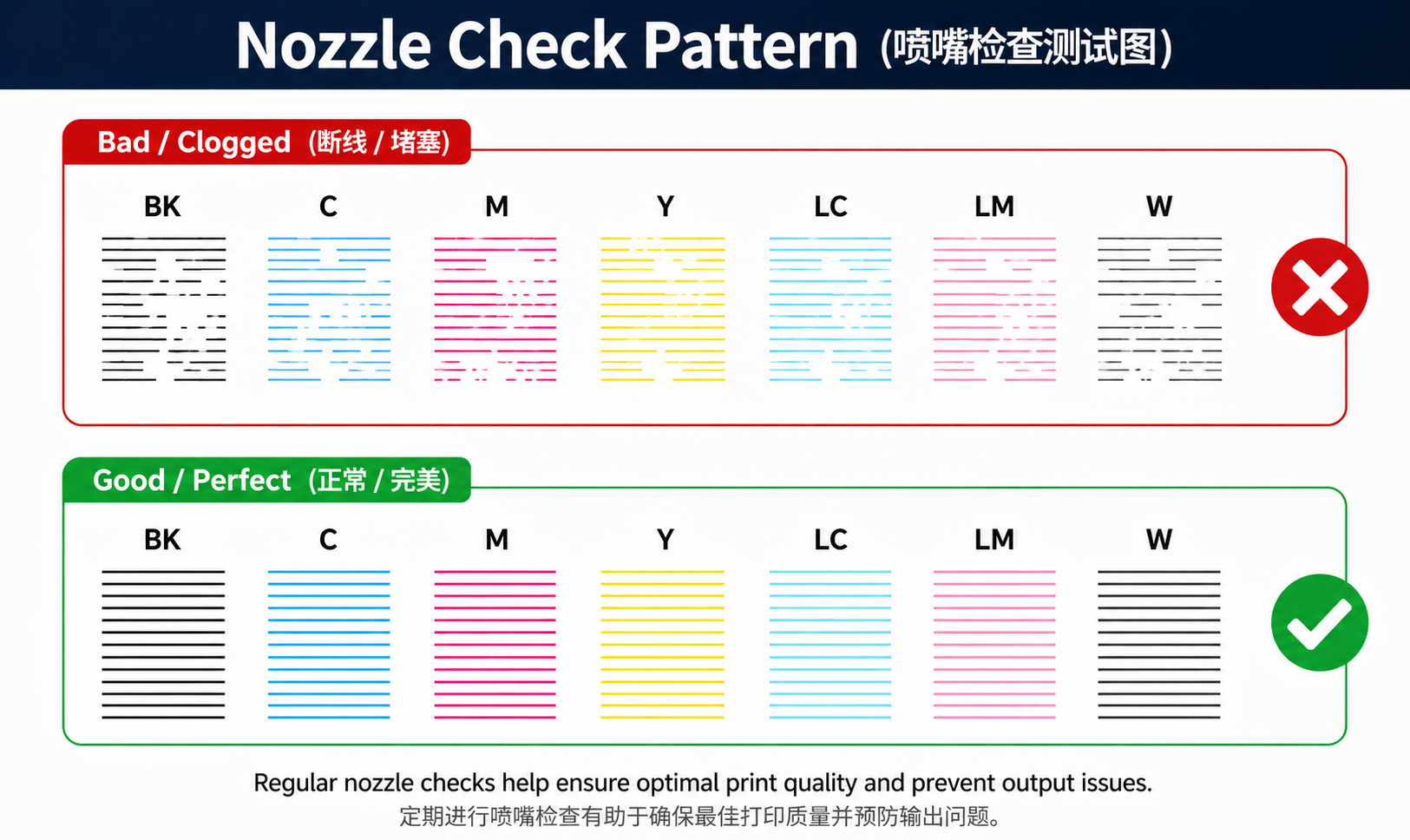
Run a Nozzle Check Pattern
Access the maintenance menu on your printer software or display panel. Print a test pattern to inspect line continuity. Broken lines or gaps confirm that nozzles are clogged.
Execute Automatic Cleaning Cycles
Use the built-in cleaning function found in your printer settings. One cycle often resolves minor blockages. Limit this to 2–3 attempts because each cycle consumes ink, and overuse wastes supply without improving results.
Perform Manual Cleaning Carefully
- Power off and unplug the printer completely.
- Remove the affected cartridge.
- Dampen a lint-free cloth with distilled water or isopropyl alcohol.
- Gently wipe the nozzle plate on the bottom of the cartridge.
- Let it air dry completely, then reinstall.
Caution: Never soak the cartridge or scrub aggressively. You can permanently damage the delicate nozzles.
Replace Cartridge If Cleaning Fails
If cleaning does not restore quality after 1–2 months of inactivity, the ink has likely hardened permanently. Replace the cartridge to avoid damaging the printer. Continuing to clean a dead cartridge only wastes more ink.
Choosing the Right Printer for Low Volume
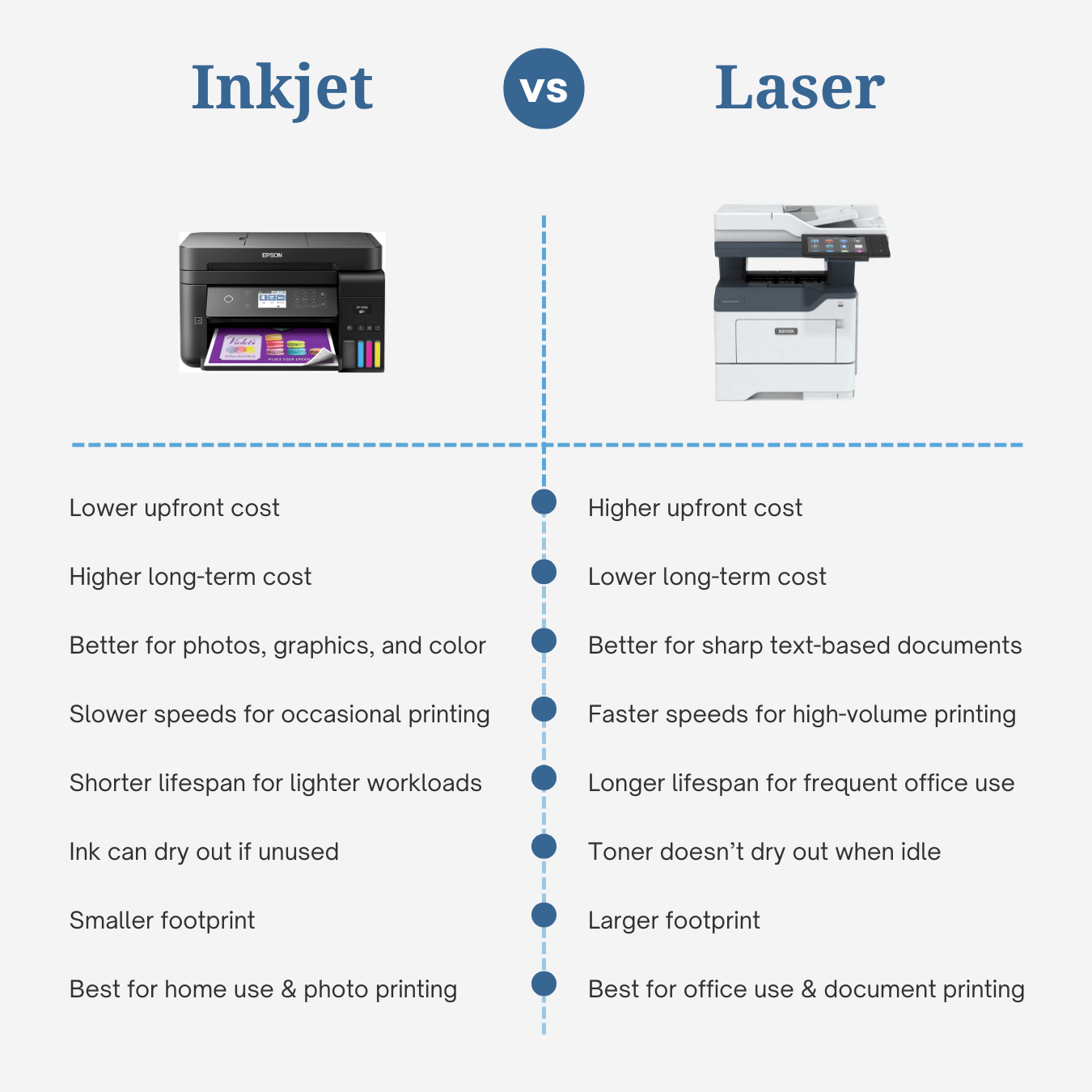
If you print less than once a month, your current hardware might be causing unnecessary waste. Switching printer types can save money and frustration.
Laser Printers for Document Only Users
Choose a laser printer if you primarily print text documents occasionally. Toner lasts for years, output remains sharp, and maintenance is minimal. This is the best option for home offices with sporadic needs.
Ink Tank Printers for Color Needs
Need photos or color graphics but print infrequently? An ink tank printer offers a strong balance. Sealed tanks slow drying, and refill costs are low. Models like HP Smart Tank are excellent choices.
Avoid Standard Inkjets for Rare Use
Unless you can commit to printing weekly, standard inkjet cartridge printers are a poor financial fit. You will likely spend more on replacing dried-out cartridges than on the printer itself.
Frequently Asked Questions About Printer Cartridge Lifespan
Can expired ink cartridges still work?
Yes, expired cartridges often still function, but print quality may suffer. Expired ink can clog nozzles faster or produce faded, inconsistent colors. Use them before the “use by” date for optimal results.
How do I know if my ink has dried out?
Print a nozzle check pattern from your maintenance menu. If you see gaps, streaks, or missing colors despite having full ink levels, the ink has dried inside the nozzles.
Does turning off the printer dry out ink faster?
No, powering off does not accelerate drying. However, long-term inactivity causes drying regardless of power state. Leaving the printer on or off makes little difference if you do not print.
Is it worth refilling old cartridges?
Refilled cartridges can work but often clog more easily and may void your warranty. For infrequent users, original equipment manufacturer (OEM) cartridges generally perform more reliably.
Do all inkjet printers dry out at the same rate?
No. Dye-based inks dry faster than pigment-based inks. Pigment inks, used in some Epson and Brother models, resist fading and clogging better than standard dye inks.
Can I store spare cartridges in the refrigerator?
No. Temperature fluctuations cause condensation, which damages the ink chemistry. Store cartridges at room temperature in their original packaging instead.
Key Takeaways for Extending Printer Cartridge Life
Knowing how long a printer cartridge lasts helps you plan better and avoid waste. Unopened ink survives 18 to 24 months, while installed cartridges often fail within 3 to 6 months without regular use. Laser toner remains viable for years, making it the superior choice for infrequent printers.
To maximize your current supplies, print a test page every week and keep cartridges installed in the machine. If you cannot maintain this schedule, consider switching to a laser or ink tank model to eliminate drying issues entirely. Take action today by checking your printer’s last print date and running a quick nozzle check if it has been more than two weeks.