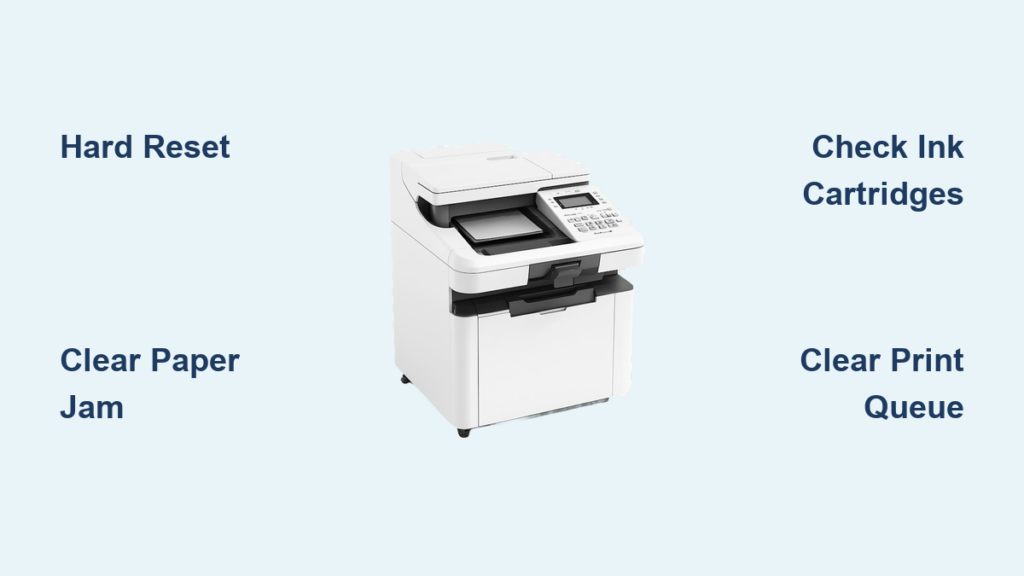
Is your printer refusing to print, jamming constantly, or showing cryptic error lights? You are not alone. Millions of users face computer printer repair challenges every year, especially when deadlines loom and critical documents will not print. Whether it is a home inkjet or a high-volume office laser printer, most issues can be resolved quickly with the right knowledge.
This guide covers everything from diagnosing connectivity failures to fixing mechanical jams and deciding when repair beats replacement. You will learn how professional technicians approach printer problems, what common fixes cost, and how to get your device back online fast.
Choose Between On-Site and Drop-Off Repair Services
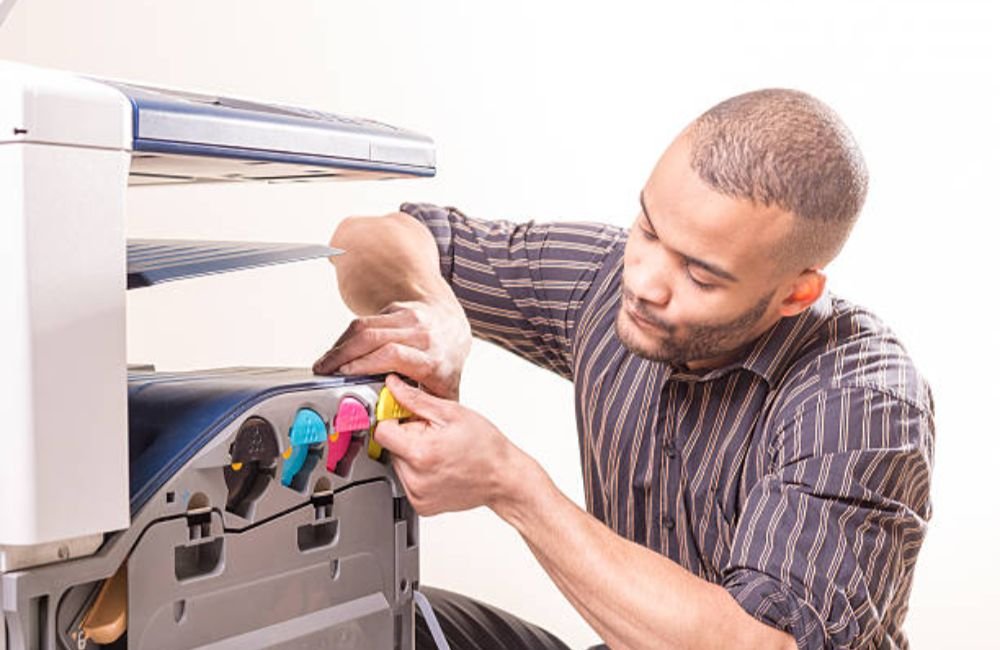
Choosing the right service model saves time and ensures faster turnaround for your specific situation. Your decision often depends on the size of the printer and your available time.
Mobile Printer Repair Services for Immediate Fixes
For businesses and large multifunction units, mobile repair eliminates downtime effectively. Technicians come directly to your location, whether home or office, with all tools and parts needed for on-the-spot fixes.
This model is ideal for networked printers that cannot be easily unplugged or moved. It is commonly used in the Bay Area, including Pleasanton and San Francisco, as well as the Midwest regions of Omaha and Council Bluffs. Providers often offer same-day response since travel and diagnostics are included. Mobile services typically charge a flat hourly rate, often $150 per hour with a one-hour minimum.
Pro Tip: Schedule mobile repair early in the day for same-day service. Many providers prioritize on-site visits to minimize business disruption.
In-Store Drop-Off Locations for Cost Savings
If you can transport your printer, drop-off services at physical stores may offer lower labor rates. Locations in Santa Monica and Omaha accept devices during standard business hours, usually Monday through Friday from 9 AM to 5 PM. Some locations also offer weekend hours from 10 AM to 4 PM.
The process starts with a free diagnostic check to assess the issue. The technician then determines if the repair is cost-effective compared to buying new. For older or low-end models, they will advise replacement if parts exceed the printer’s value.
Warning: Always back up data from multifunction printers before drop-off. Some store hard drives with scanned documents that could contain sensitive information.
Diagnose Printer Problems by Specific Symptom
Pinpointing the issue type speeds up repair and avoids unnecessary part replacements. Accurate diagnosis is the first step in any successful computer printer repair job.
Printer Won’t Turn On or Power Up
No lights and no response usually indicate a power issue. Start with basic power troubleshooting before assuming total failure.
- Check outlet and cable: Plug another device into the same outlet. Try a different power cord to rule out cable failure.
- Inspect internal fuses: Some printers have replaceable fuses near the power input that may have blown.
- Look for blinking patterns: Flashing lights often signal specific hardware faults, such as three blinks indicating a fuser error.
If basic checks fail, the problem may be a dead power supply unit or mainboard. These require component-level repair best handled by professionals using multimeters and schematic analysis.
Expert Note: Do not open the printer unless trained. High-voltage components in laser printers can retain charge even when unplugged.
Paper Jams and Feeding Issues

Jams are the number one reason people seek computer printer repair. Clearing them correctly prevents future damage to internal gears.
Clear Deep-Seated Jams Safely
- Turn off and unplug the printer immediately.
- Open all access panels, including the rear, front, duplexer, and toner tray.
- Gently pull out visible paper. Use tweezers for small torn fragments.
- Inspect the fuser unit inside for stuck bits, which is common in laser printers.
Never force paper. Forcing paper can damage gears or rollers permanently.
Replace Worn Feed Components
Over time, rubber rollers lose grip and cause feeding errors. Signs include multiple sheets feeding at once, paper sliding sideways, or grinding noises during pickup.
Repair involves replacing the following parts:
* Pickup roller
* Separation pad
* Feed rollers
Most technicians carry OEM or compatible parts for these components. Replacement takes 30 to 60 minutes and prevents recurring jams effectively.
Poor Print Quality: Streaks, Smudges, and Fading
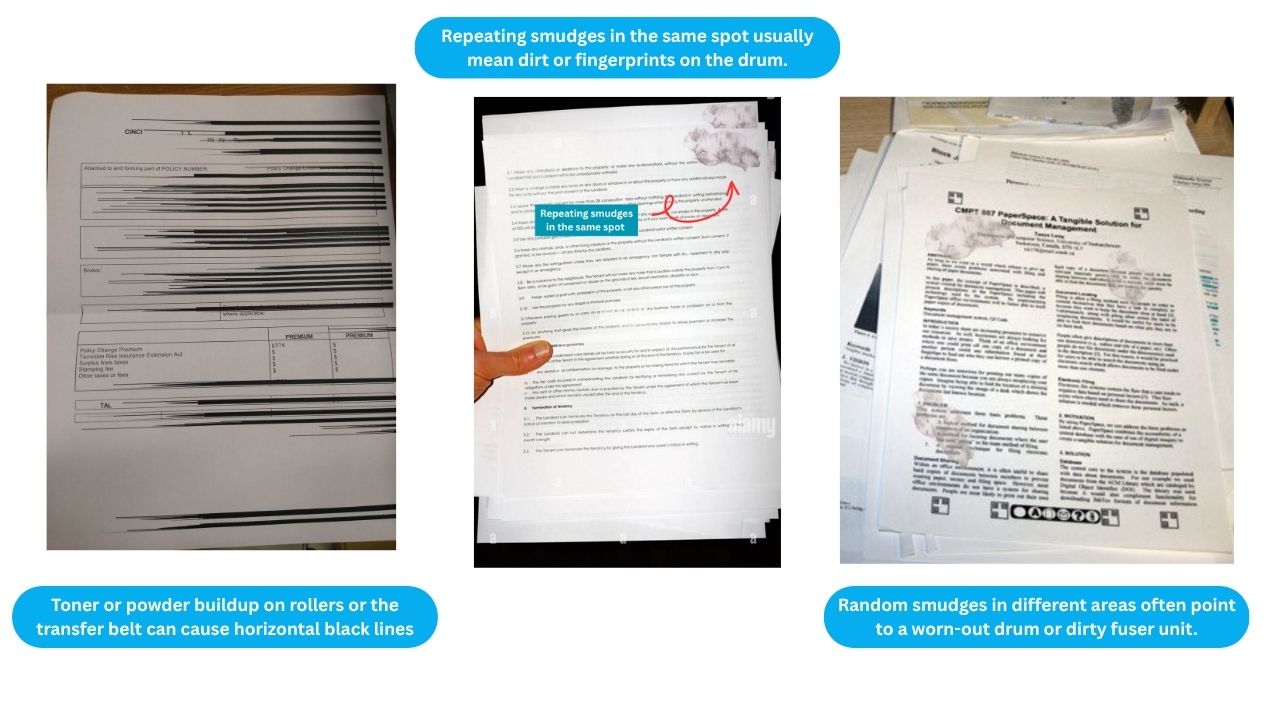
Bad output does not always mean a new cartridge is needed. Specific symptoms point to different internal components requiring attention.
Clean Clogged Printheads on Inkjets
Clogged nozzles cause missing lines or faded colors on your documents.
Steps:
1. Run the built-in “Clean Printhead” utility found in printer settings.
2. Repeat the process two to three times if needed.
3. If no improvement occurs, manually clean with a lint-free cloth and isopropyl alcohol.
Caution: Only clean when the printer is off and cool. Avoid touching electrical contacts directly.
Replace Drum or Fuser on Laser Printers
Streaks or ghost images on laser prints often point to drum or fuser wear. The drum unit typically replaces every two to three toner cartridges. Look for scratches or dark bands on the surface.
The fuser melts toner onto paper. A failing fuser causes toner to flake off the page. Both parts are user-replaceable in most models. If unsure, a technician can test output and recommend the correct component.
Printer Not Connecting to Wi-Fi or Network
Connectivity issues often mimic hardware failure but are usually software-based. Fixing these saves you from unnecessary computer printer repair costs.
Reconnect to Wi-Fi Networks
- Press the Wi-Fi or Network button on the printer panel.
- Select your network and enter the password carefully.
- Confirm IP address assignment, which should show as 192.168.x.x.
If the connection drops frequently, move the printer closer to the router. Avoid interference from microwaves or cordless phones. Switching from the 5GHz to the 2.4GHz band often provides better range.
Reinstall Drivers and Software
Outdated drivers cause “Printer Offline” errors on your computer.
Fix:
1. Uninstall the current printer from your computer via Control Panel or Devices.
2. Download the latest driver from the manufacturer’s website like HP, Epson, or Canon.
3. Install the new driver and restart your computer.
Pro Tip: Use a USB cable to install drivers first, then switch to wireless once the computer recognizes the device.
Set Up Shared or Cloud Printing
For offices, enable network sharing to allow multiple users to print. Assign a static IP to the printer and share it via Windows Print Server or macOS Sharing Preferences.
Cloud printing services like Google Cloud Print or HP Smart allow remote access. Technicians configure these during setup to support hybrid teams effectively.
Repair Costs vs. Replacement Decisions
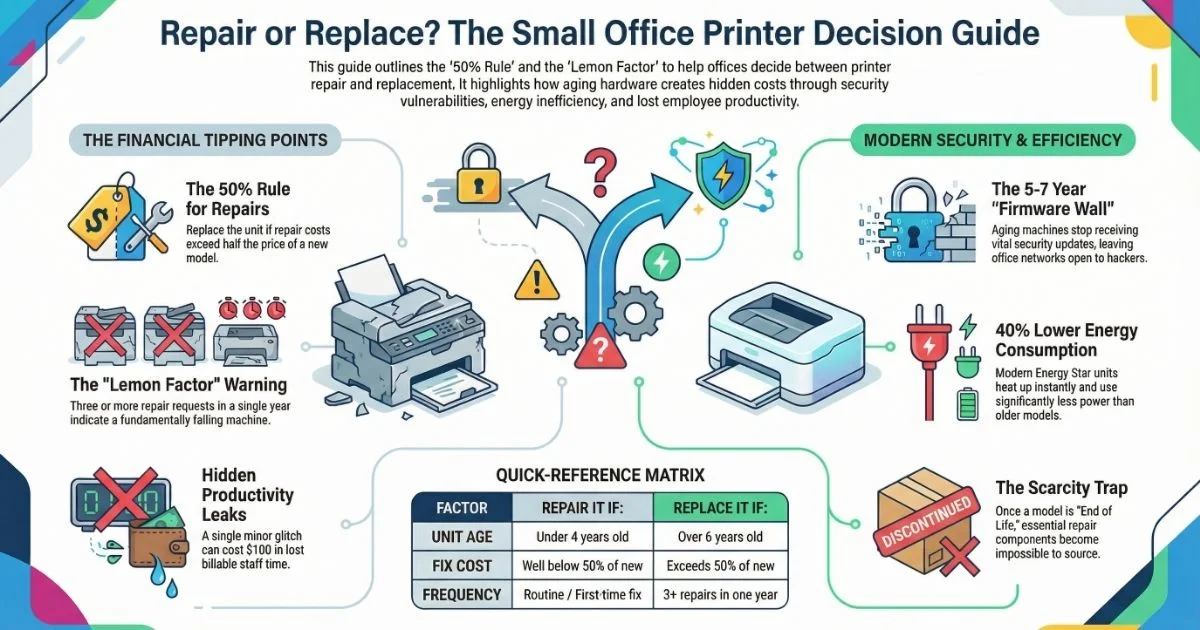
Not every printer should be fixed. Knowing when to repair and when to replace saves money in the long run.
When Repair Makes Financial Sense
High-end and multifunction laser printers are worth repairing. These devices often have an initial cost over $500 and feature modular designs that allow part replacement.
Common fixable issues include:
* Paper jams
* Toner cartridge errors
* Network configuration problems
* Drum or fuser replacement
Replacing a $120 fuser in an $800 Lexmark laser printer saves hundreds compared to buying new.
When to Replace Instead
Basic inkjet printers under $150 often are not worth repairing. If the logic board is dead, the main motor failed, or internal wiring melted, replacement is better.
Labor alone often starts at a $150 minimum, which may exceed the cost of a new unit.
Rule of Thumb: If the repair cost exceeds 50% of a comparable new model, replace it.
Data Recovery from Printer Hard Drives
Many office multifunction printers store scanned documents, emails, or print logs. If the printer fails but data is critical, repair is essential to recover files.
Technicians can extract drives and transfer data securely. Secure wipe services prevent data leaks during disposal. This adds value beyond printing, especially for legal or medical offices.
Prevent Future Failures with Maintenance
Regular care extends printer life and reduces emergency repair needs significantly.
Clean Internally Every Three to Six Months
Dust, paper fibers, and toner dust build up over time inside your device.
Steps:
1. Power down and unplug the printer.
2. Open all access panels.
3. Use compressed air to blow out debris gently.
4. Wipe rollers with a dry, lint-free cloth.
Avoid vacuums because static can damage electronics. For laser printers, clean the transfer belt and corona wires carefully using a manufacturer-recommended swab.
Calibrate and Align Regularly
Misaligned colors or skewed text degrade professionalism. Run Print Head Alignment for inkjets or Image Adjustment for lasers monthly.
Use test pages to verify accuracy. Recalibrate immediately after replacing cartridges to ensure optimal output.
Reset Ink and Toner Counters
After refilling or using compatible cartridges, some printers display “Low Ink” or refuse to print.
Solutions:
* HP: Hold the Go button for 20 seconds.
* Epson: Use maintenance mode to reset chips.
* Canon: Some models require a software reset.
Technicians use specialized tools to bypass chip locks without damaging the printer.
Business Printer Maintenance Plans
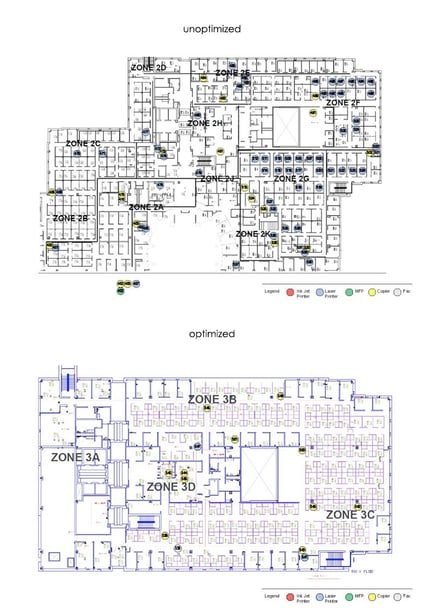
For offices, reactive repair is not enough. Proactive plans prevent downtime and ensure business continuity.
What Managed Plans Include
Managed plans typically include quarterly cleaning, inspection, firmware updates, and priority emergency service. They often feature free diagnostics and discounted parts.
These plans are ideal for:
* Small law firms
* Medical offices
* Real estate agencies
* Shared workspaces
Such plans reduce average repair time from 48 hours to under six hours with priority scheduling.
Service Coverage Areas
Providers offer on-site support across key regions. In the Bay Area, coverage includes Pleasanton, Dublin, San Ramon, Oakland, and San Francisco. Midwest coverage includes Omaha, Council Bluffs, La Vista, and Bellevue.
You can call local providers in Pleasanton or Omaha to schedule service.
Trust and Transparency in Repair Services
Choose a repair service with a BBB A+ rating and over 20 years in business. Look for upfront pricing and no charge for diagnostics if you decline repair.
Avoid shops that push unnecessary board replacements or refuse to show faulty parts. The best technicians fix simple issues fast, like reseating a loose cable, and only recommend major repairs when truly needed.
Most computer printer repair issues are fixable, especially with professional help. Whether it is a jammed paper path, Wi-Fi dropout, or fading print, timely action prevents long-term damage. For businesses, on-site mobile repair minimizes downtime. For homes, knowing when to clean, reset, or replace saves money. Use this guide to troubleshoot confidently and decide the smartest path forward.
Frequently Asked Questions About Computer Printer Repair
How much does professional computer printer repair cost?
Mobile on-site services typically charge an hourly rate, often around $150 per hour with a one-hour minimum. This fee covers travel, diagnostics, and the first hour of labor. Drop-off locations may offer lower rates but require you to transport the device.
Is it worth repairing an old inkjet printer?
Basic home inkjet printers under $150 are often not worth repairing if the issue involves major components like the logic board. If the repair cost exceeds 50% of a new unit’s price, replacement is usually the better financial choice.
What causes a printer to jam repeatedly?
Repeated jams usually stem from worn feed rollers, separation pads, or debris in the paper path. Cleaning the feed mechanism and replacing worn rubber rollers typically resolves the issue permanently.
Why is my printer not connecting to Wi-Fi?
Connectivity issues often result from outdated drivers, incorrect IP configurations, or signal interference. Reinstalling the latest manufacturer drivers and switching to the 2.4GHz band often solves the problem.
Can technicians recover data from a broken printer?
Yes, many office multifunction printers store data on internal hard drives. Technicians can extract these drives to recover files or perform secure wipes to prevent data leaks during disposal.
How often should I clean my printer internally?
You should clean your printer internally every three to six months. This prevents dust, paper fibers, and toner buildup from causing clogs or mechanical failures.
Key Takeaways for Successful Computer Printer Repair
Most printing issues stem from simple causes like paper jams, clogged printheads, or network glitches. Regular maintenance and timely troubleshooting can extend your device’s life significantly. Knowing when to call a professional versus when to replace the unit saves you money and stress.
Evaluate the cost of repair against the price of a new model before proceeding. For business-critical devices, professional on-site service minimizes downtime and ensures data security. Take action today to restore your printing capabilities and maintain workflow efficiency.