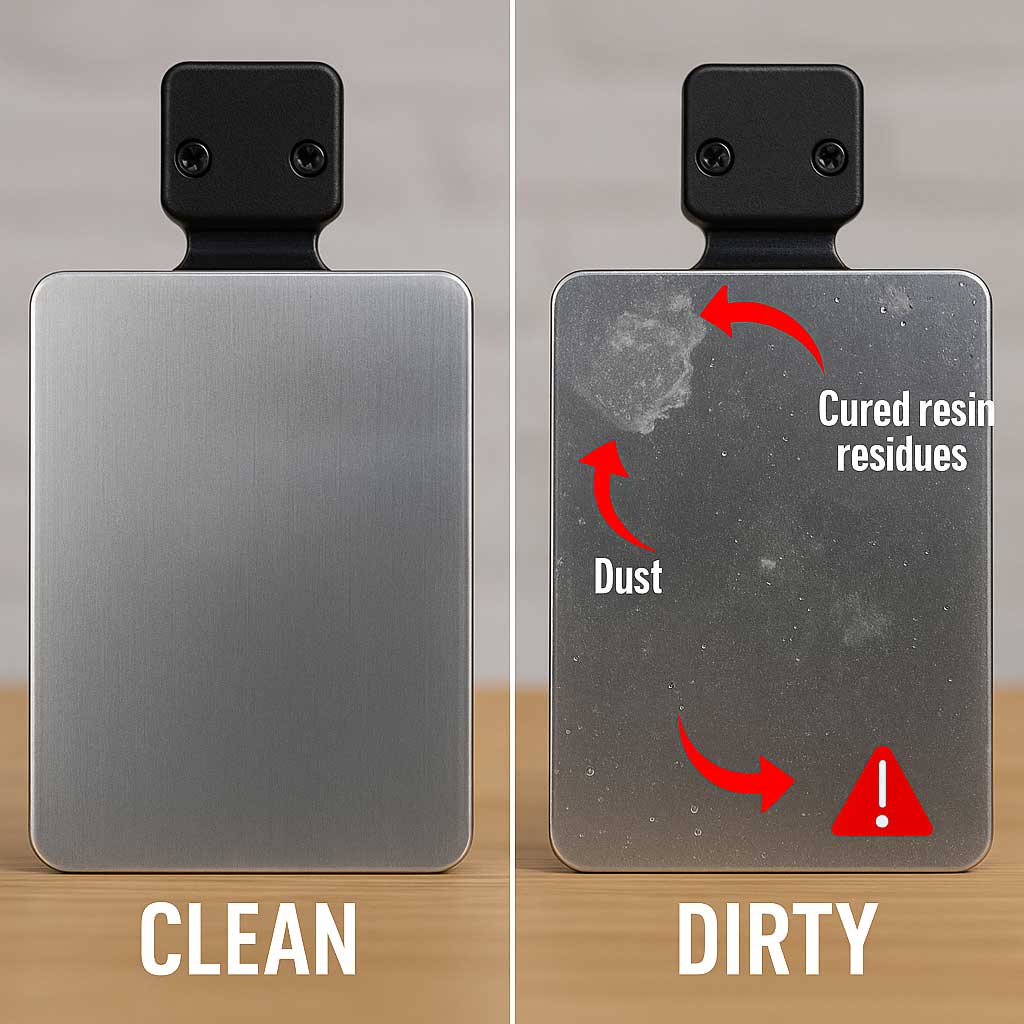
A dirty build plate is the fastest path to failed prints. Oils from your fingers, airborne dust, and leftover filament residue all settle onto the textured PEI surface of your Bambu Lab printer, silently sabotaging adhesion. You might not see the contamination with the naked eye, but your first layer absolutely will. The fix takes just minutes and requires only basic household supplies.
This guide walks you through everything you need to know about cleaning your 3D printer bed Bambu Lab style. You will learn the exact tools to use, the step-by-step process, troubleshooting tips for stubborn adhesion problems, and how to keep your plate performing like new for months.
Why Your Bambu Lab Build Plate Needs Regular Cleaning
The Hidden Contamination Problem
Your hands transfer sweat and oil every time you touch the print surface or remove a finished model. Dust settles from the air around your workspace. Tiny bits of filament stick to the plate between prints. Individually, these contaminants seem harmless, but together they form an invisible barrier that prevents your filament from bonding properly.
Even when the plate looks spotless, residue is there. That is why fingerprints become visible only during the first layer of a print, not before.
Warning Signs Your Plate Needs Attention
Watch for these symptoms during printing:
– Corners lifting or warping mid-print
– The entire print detaching from the bed
– Visible fingerprints appearing in the first layer
– Filament sliding around instead of sticking on contact
Any of these red flags mean contamination is reducing your plate’s grip.
The Water Flow Test
A simple water test reveals your plate’s true condition:
– Before cleaning: Water gathers into droplets and streams off → poor adhesion
– After cleaning: Water spreads into a thin, continuous film → strong adhesion
Keep this test in mind. You will use it later to confirm your cleaning was successful.
Best Supplies for Cleaning Your Bambu Lab Bed
What You Need
Gather these items before starting:
1. Oil-free dish soap (no moisturizers, no additives)
2. Clean sponge (non-abrasive)
3. Scouring pad or plastic brush for reaching into textured grooves
4. Soft toothbrush for stubborn spots
5. Warm water
6. Lint-free cloth or paper towel for drying
What to Avoid
Some common products cause more harm than good:
– Hand soap or body wash: Contains oils and moisturizers that leave residue
– Isopropyl alcohol: Spreads oils across textured surfaces instead of removing them
– Acetone: Damages the PEI coating permanently
– Steel wool or abrasive pads: Scratches the surface (save steel wool only for restoration sanding)
Why Dish Soap Works Best
On textured plates, alcohol only moves grease around. Dish soap acts as a true degreaser, breaking down oils so water can rinse them away. Combined with scrubbing, it reaches deep into the micro-texture where residue hides.
Step-by-Step Bambu Lab Build Plate Cleaning
Prepare the Plate
Let the plate cool to room temperature before cleaning. Never clean a hot plate. The temperature swing can warp the material and the water will evaporate too quickly to rinse properly.
Remove the plate from the printer if possible. This makes handling easier and prevents water from reaching electronics.
Wet and Apply Detergent
Rinse the plate under warm water to loosen surface debris. Apply a pea-sized drop of oil-free dish soap directly to the surface. Spread it evenly using your fingers or a sponge.
Pro Tip: Less soap is better. Too much creates residue that is hard to rinse away and actually harms adhesion.
Scrub the Entire Surface
Work a sponge or plastic scouring pad across the full plate using circular motions. Focus extra attention on:
– The center where prints often start
– The edges where contact is highest
– Any sticky or greasy spots you can feel
For textured surfaces, the scouring pad or plastic brush reaches into grooves where oil collects. A soft toothbrush works well for corners and persistent marks.
Warning: Never use metal scrapers or sharp blades. They gouge the PEI layer and permanently damage the plate.
Tackle Stubborn Residue
Old prints sometimes leave behind stubborn marks that ordinary scrubbing cannot remove. For these spots:
1. Soak the affected area in warm soapy water for 2 to 5 minutes
2. Gently agitate with a soft toothbrush
3. Re-scrub the main surface
Avoid soaking the entire plate for long periods. Prolonged water exposure can affect the adhesive backing on some plate types.
Rinse Until Water Runs Clear
Hold the plate under running water and rotate it slowly. You are done when:
– All suds disappear
– The surface feels slick, not slimy or soapy
– Water flows smoothly without breaking into droplets
Residual soap is a silent print killer. It creates a thin barrier between filament and plate that causes adhesion failures.
Dry Completely
Wipe the plate dry with a lint-free cloth or paper towel. Handle it only by the edges once dry. Let it air-dry for 1 to 2 minutes to evaporate any remaining moisture.
Critical: Never reinstall a damp plate. Moisture causes bubbling, poor layer bonding, and steam during heated printing.
Restore Adhesion with Sanding (Advanced)
When Sanding Makes Sense
Reach for sandpaper only when standard cleaning no longer improves adhesion. Other signs include a shiny, worn-looking surface or consistent print failures despite proper settings.
Sanding removes the top contaminated layer and exposes fresh PEI texture underneath.
How to Sand Safely
- Use fine-grit sandpaper (600 to 1000 grit) or fine steel wool (#0000)
- Sand the entire surface using light circular motions
- Apply very gentle pressure to avoid creating uneven patches
- Wipe away dust with a dry cloth
- Immediately follow with a full detergent wash to remove all particles
Warning: Do not sand frequently. Each session removes a small amount of PEI material. Over time, this shortens plate lifespan.
Troubleshoot Poor Adhesion After Cleaning
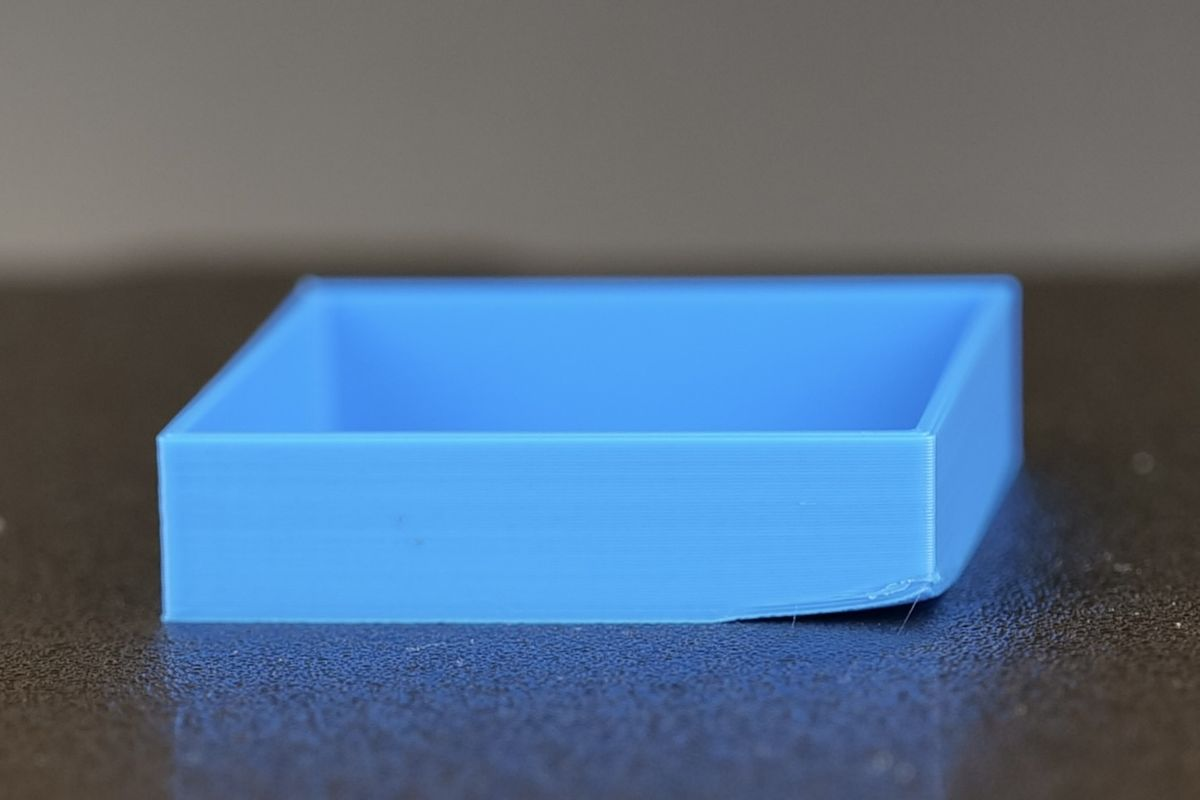
A clean plate can still fail if other settings are off. Work through these fixes if adhesion problems persist.
Slightly Raise Bed Temperature
Heat improves adhesion significantly. Try these adjustments:
– PLA: 60 to 65°C (instead of 55°C)
– PETG: 80 to 85°C
– ABS: 100 to 110°C
Increase in 5°C increments. Excessively high temperatures cause “elephant foot” (bulging at the base) and potential clogging.
Add a Brim or Raft
For small or delicate prints, increase the contact area:
– Brim (10 to 15 mm): Adds a thin flat extension around the base
– Raft: Creates a thick sacrificial layer beneath the print
More surface contact means stronger grip.
Verify First Layer Settings in Bambu Studio
Open your slicer and confirm these starting values:
– Line width: 0.5 mm
– Layer height: 0.25 mm
– Extrusion multiplier: 100 to 105%
These settings promote optimal “squish” and bonding between filament and plate.
Re-Level the Bed
Even a perfectly clean plate fails if the nozzle sits too high. Run Auto Bed Leveling (ABL) and watch the first few layers carefully. Adjust the Z-offset in small increments until the filament gently drags across the plate without lifting.
Prevent Contamination: Best Practices
Handle with Care
Train yourself to:
– Always hold the plate by the edges
– Wear nitrile gloves if you must touch the print surface
– Never wipe the plate with bare, oily hands
How Often to Clean
Match your cleaning schedule to your print volume:
– Light use (1 to 2 prints/week): Clean every 3 to 5 prints
– Moderate use (daily): Clean weekly or after every 2 to 3 prints
– Heavy use (multiple prints/day): Clean after each print or every other print
Clean immediately if you notice warping, lifting corners, or an uneven first layer.
Verify Your Clean with the Water Test
After cleaning and drying, perform this final check:
1. Sprinkle a few drops of water on the surface
2. Tilt the plate slightly
3. Observe the water behavior
Pass: Water forms a smooth, unbroken film across the surface
Fail: Water beads up or runs in streaks
If the test fails, repeat the wash. Pay extra attention to the scrub step.
Material-Specific Tips for Bambu Lab
PLA
PLA is the most forgiving material but still benefits from a clean plate. Regular cleaning prevents subtle warping and ensures reliable adhesion. Ideal bed temperature sits between 55 and 65°C.
PETG
PETG tends to bond too aggressively, sometimes tearing pieces of PEI when removed. A clean plate moderates this stickiness. Use 80 to 85°C bed temperature and let the plate cool slightly before popping prints off.
ABS
ABS demands both high heat and a spotless surface. Any oil residue causes immediate warping. Clean before every ABS print, run the bed at 100°C or higher, and print inside an enclosure for best results.
When to Replace the Plate
Even with perfect care, PEI plates wear out. Look for these replacement signals:
– The surface appears shiny and smooth (texture is gone)
– Cleaning and sanding no longer restore adhesion
– Prints fail consistently across multiple materials
– Visible peeling or bubbling of the coating
With daily use, expect 6 to 12 months of service life before replacement becomes necessary.
Frequently Asked Questions About Cleaning Bambu Lab Build Plates
Can I use isopropyl alcohol to clean my Bambu Lab textured PEI plate?
No. Alcohol spreads oils across textured surfaces instead of removing them. Dish soap is the recommended cleaner because it acts as a true degreaser and rinses away cleanly with water.
How often should I clean my Bambu Lab build plate?
Clean after every 2 to 5 prints for moderate use, or after each print for heavy daily use. Clean immediately if you notice poor adhesion, warping, or lifting during a print.
Will acetone damage my Bambu Lab build plate?
Yes. Acetone damages the PEI coating on textured plates and should never be used. Stick to oil-free dish soap and warm water for routine cleaning.
What should I do if prints still won’t stick after cleaning?
Raise the bed temperature by 5°C, add a brim for more contact area, verify your first layer settings in Bambu Studio, and run Auto Bed Leveling. If problems continue, sand the plate to restore texture or contact Bambu Lab support with your printer logs.
How do I know when my build plate needs replacement?
Replace the plate when the surface looks shiny and smooth, when cleaning and sanding no longer improve adhesion, or when prints consistently fail across multiple materials. Visible peeling or bubbling also signals replacement time.
Can I sand my Bambu Lab PEI plate to restore adhesion?
Yes, but only as a last resort. Use 600 to 1000 grit sandpaper or #0000 steel wool with light circular pressure. Always follow sanding with a full detergent wash to remove particles.
Key Takeaways for Keeping Your Bambu Lab Bed Clean
A consistent cleaning routine transforms your printing results. The dish soap and water method handles 95% of adhesion problems without special products. Keep a sponge, soft brush, and lint-free cloth near your printer so cleaning takes just a few minutes rather than feeling like a chore.
Use the water flow test whenever you suspect adhesion issues. It takes seconds and tells you definitively whether the plate is ready for printing. Run this test after every cleaning session until you learn to recognize the visual cues yourself.
If you have struggled with failed prints, warping, or unreliable first layers, start with a thorough clean using the steps above. Most adhesion problems disappear once the plate is properly degreased. From there, stick to a regular schedule and your Bambu Lab will deliver consistent, professional-quality results on every print.