A grinding Z-axis, a clogged hotend, or a printer that refuses to boot can stop your project cold. These issues hit thousands of FDM and resin printer owners every year, and the wrong repair choice can waste hundreds of dollars. Understanding your 3D printer repair options helps you decide when to DIY, when to ship it out, and when onsite support actually pays off.
This guide breaks down real pricing, turnaround times, and service models from professional providers like TH3D PrecisionCare and Bauen Innovations. You’ll learn which repairs qualify for flat-rate pricing, how to dodge hidden fees, and how to keep your machine running without breaking the budget.
Pick the Right 3D Printer Repair Service
Service type, pricing model, and provider focus all shape your repair experience. The right match depends on your printer, your issue, and whether you’re a hobbyist or a business.
Compare Leading Repair Providers
TH3D PrecisionCare (Hobart, IN) runs on structured pricing with flat-rate and hourly tiers. Their $150 PrecisionCare Essentials covers diagnostics and standard fixes for most FDM and resin printers. Bauen Innovations (Halethorpe, MD) targets commercial clients in manufacturing and engineering, offering remote troubleshooting and customizable maintenance contracts. A third unnamed provider starts at $1,500 and targets enterprise fleets needing premium, hands-on support.
Each provider fits a specific user. TH3D works well for individuals and schools, Bauen suits growing teams, and the high-end option serves Fortune 500 operations managing multiple machines.
Know Your Service Options
Three delivery methods dominate: in-shop, onsite, and remote. TH3D accepts walk-ins only by appointment, with onsite service limited to B2B and EDU customers within travel range. Bauen offers both in-shop and field service, plus remote diagnostics for software and firmware problems, which is ideal if shipping is impractical.
For faster turnaround, TH3D’s rush service ($50 extra) puts your printer on the bench the same day. Keep in mind: rush service does not cover part lead times. If your hotend needs a backordered replacement, you’ll still wait for the supply chain.
Understand the Three Main Pricing Models
- Flat-rate ($150): TH3D’s Essentials plan includes labor, diagnostics, and up to two upgrades under one hour each.
- Hourly ($120/hr): TH3D’s Elite tier covers custom mods, deep calibration, and complex rebuilds.
- Premium packages (from $1,500): Full diagnostics, upgrades, and maintenance for corporate fleets.
Diagnostic fees vary widely. TH3D charges $50 (applied toward the repair), while another provider offers free same-day quotes. Always confirm what the fee includes, because parts are never covered by labor rates.
Diagnose the Most Common 3D Printer Failures
Most breakdowns fall into four categories: mechanical movement errors, extrusion failures, dimensional inaccuracies, and firmware glitches. Pinpointing the root cause before calling a tech saves both time and money.
Axis Won’t Move or Is Grinding
A stalled X, Y, or Z axis often traces back to one of these culprits:
- Stepper motor drivers: Failed drivers freeze axis movement entirely.
- Belt tension: Loose belts cause skipped steps and layer shifts.
- Rail binding: Dust or misalignment jams linear rods.
- Endstop issues: Faulty limit switches block homing sequences.
TH3D classifies these as standard repairs under the $150 flat rate, unless you own a complex model like the Ultimaker or Snapmaker U1. Those machines carry a $50 surcharge due to dense cabling and longer disassembly time.
Pro Tip: Listen for clicking during movement. That sound signals missed steps, often caused by underpowered motors or incorrect current settings.
Printer Not Extruding or Under Extruding
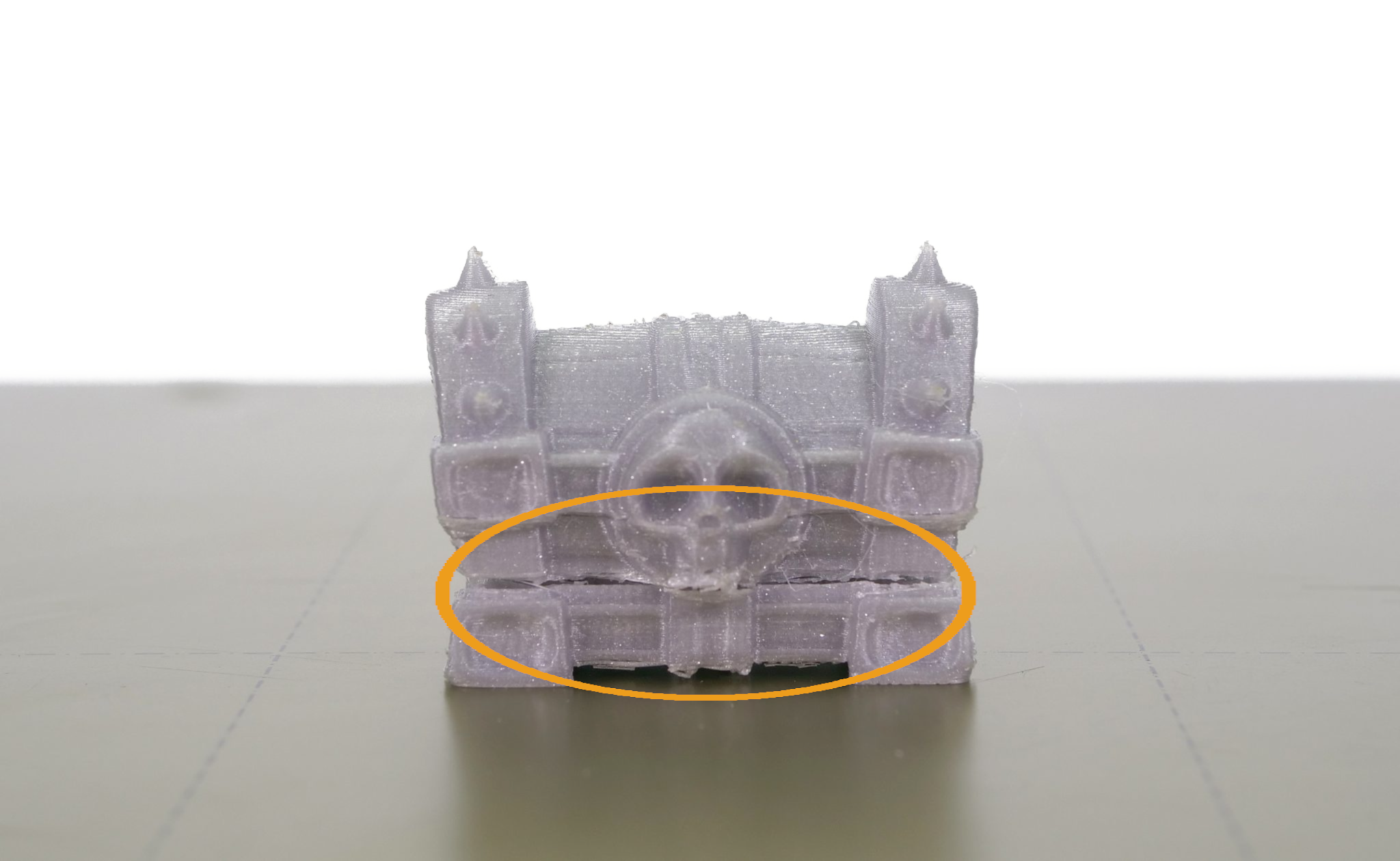
When filament refuses to flow, work through this checklist:
- Clogged nozzle: The top offender in PLA and PETG after extended use.
- Cold extrusion: A faulty thermistor or heater cartridge keeps the hotend below target temp.
- Idler tension: Too loose and filament slips; too tight and it grinds.
- Filament path obstruction: Kinked PTFE tubes or Bowden cables block flow.
Bauen Innovations flags clogs and under-extrusion as common firmware-hardware crossover issues. Some require full hotend disassembly, which counts as a hardware repair.
Visual Cue: If filament extrudes manually but not during prints, your issue likely sits in retraction settings or slicer configuration, not the hardware.
Poor Print Quality or Dimensional Inaccuracy
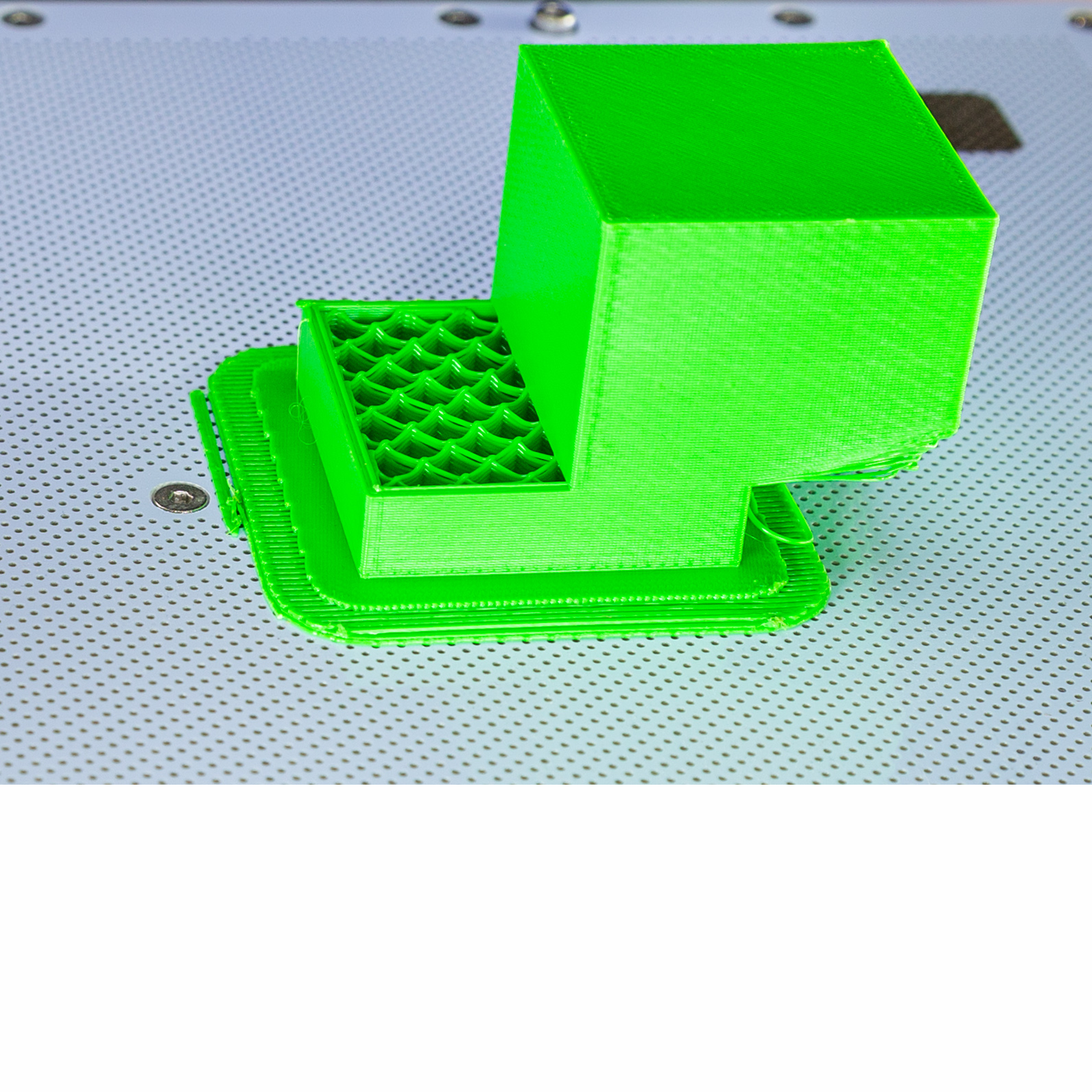
Layer shifts, warping, and incorrect dimensions usually point to:
- Bed leveling errors: An uneven first layer destroys adhesion.
- Belt slack: Causes X/Y wobble and ghosting artifacts.
- Thermal creep: Nozzle overheating triggers jams.
- Incorrect steps per mm: Stretches or squishes your prints.
Calibration fixes fall under TH3D’s PrecisionCare Elite hourly service. Bauen often includes tune-ups in hardware repairs, frequently restoring accuracy in under two hours.
Solve Firmware and Software Glitches
Many apparent hardware failures actually originate in firmware bugs or slicer misconfigurations. These often get resolved remotely, with no shipping required.
Firmware Won’t Update or Crashes
Watch for these warning signs:
– Boot loops that restart endlessly
– Printers stuck on the splash screen
– Commands ignored from your host software
Bauen Innovations offers firmware flashing and custom firmware installation (Klipper, Fluidd, Marlin). They can remotely access your system if it’s network-connected.
Fix First: Try reflashing stock firmware via SD card. Download the correct .bin or .hex file directly from your printer manufacturer.
Software Configuration Errors
Slicer missteps mimic mechanical faults. Before booking a tech:
- Recheck print profiles and material settings
- Validate bed size and origin point
- Confirm firmware compatibility with host software (OctoPrint, Repetier, PrusaSlicer)
Remote diagnostics from Bauen cover these setup issues, often clearing them in under 30 minutes.
Decide Between Upgrades and Basic Repairs

Some fixes go beyond restoration, especially if you’re planning long-term use. Upgrades boost reliability, speed, and print quality.
Upgrades Bundled with Repair Plans
TH3D includes up to two upgrades (each under one hour) in the $150 Essentials plan. Common options include:
- All-metal hotend installation
- Direct drive extruder conversion
- Magnetic build plate swap
- Silent stepper driver upgrade
These changes reduce future failures. An all-metal hotend resists heat creep, and a direct drive improves TPU printing significantly.
Caution: Complex printers like the Bambu H2 Series may void free upgrade eligibility due to extra labor requirements.
Custom Modifications Through Elite Service
TH3D’s $120/hr PrecisionCare Elite handles advanced builds such as:
- Enclosure integration
- Multi-material setups
- Linear rail conversions
- Auto-bed leveling sensor calibration
These are ideal for engineering teams that need repeatable, high-precision output.
Check Brand Compatibility Before Booking
Most repair shops support top desktop models, but confirming compatibility ahead of time prevents wasted shipments.
Brands Serviced by Bauen Innovations
- Creality
- Prusa Research
- Anycubic
- Elegoo
- Bambu Lab
- Formlabs
- Ultimaker
- FlashForge
- Raise3D
- LulzBot
They service both FDM and SLA/resin systems, which is critical for labs running Formlabs printers.
Complex Models Carrying Extra Fees
TH3D flags certain machines for a $50 additional labor charge:
- Creality K2 Series
- Bambu H2 Series
- Ultimakers
- Snapmaker U1
The surcharge exists because these machines have sealed frames, dense wiring, and proprietary tools. Disassembly alone takes longer than standard printers, and you’ll be notified upfront if your model qualifies.
Onsite vs. In-Shop Repair: Which to Choose
Your location and printer role determine the smartest service path.
When Onsite Service Makes Sense
Onsite repair fits situations where:
- You manage a school lab or factory floor
- Downtime risks project deadlines
- Shipping the printer is impractical
TH3D offers onsite support for B2B and EDU clients only. Travel fees start at $100, plus $120/hr labor with a two-hour minimum. Each return visit for late-arriving parts incurs another travel charge.
Bauen provides similar onsite access, ideal for manufacturing environments where printers stay anchored in place.
Pro Tip: Negotiate a maintenance contract if you run 3+ printers. Bauen offers customizable plans that prevent recurring issues.
When In-Shop Repair Is the Better Value
For individuals or small studios, in-shop repair is faster and cheaper. Drop off at TH3D by appointment or ship to Bauen.
Standard turnaround runs 3 to 5 business days when no special-order parts are needed. Printers are serviced in the order received, so earlier drop-off means earlier completion. Pre-ordering known replacement parts (nozzles, belts) before sending your machine avoids delays.
Avoid Costly Repair Surprises
Smart planning prevents unexpected fees. Most surprise charges trace back to overlooked policies.
Non-Refundable Diagnostic Fees
TH3D charges $50 to diagnose your printer. This applies toward the $150 repair total but is non-refundable if you decline service. Other providers offer free quotes, so always ask: “Is diagnosis free? Can I get a same-day quote?”
Parts Always Cost Extra
Labor pricing never includes parts. A replacement hotend runs $40 to $120, and belts, motors, and control boards add up quickly. Ask for part quotes upfront, since some shops mark up components by 20 to 30%. Consider buying from trusted vendors (Amazon, MatterHackers) and shipping parts with your printer.
Rush Service Has Strict Limits
The $50 rush fee puts your printer on the bench the same day, but it doesn’t speed up suppliers. If a part must be ordered, you still wait for delivery.
Maximize Warranty and Post-Repair Support
Most repairs don’t include broad warranties. Knowing what’s covered (and what isn’t) prevents frustration later.
Post-Service Technical Support
TH3D’s PrecisionCare Essentials includes no free support after repair. If you need help with calibration, you must purchase it separately. Elite plans over 10 hours include up to 2 hours of post-service support, which is a strong fit for teams learning new firmware or upgrades. Bauen bundles remote support in many contracts, especially for commercial clients.
Repair Queue and Scheduling
Both TH3D and Bauen average 3 to 5 days for standard repairs. During peak times (school semesters, product launches), delays happen. Call ahead to check queue length, and ask if you can reserve bench time with a deposit.
Frequently Asked Questions About 3D Printer Repair
How much does a typical 3D printer repair cost?
Standard repairs through TH3D’s PrecisionCare Essentials run $150 flat rate, which includes labor and diagnostics. Hourly Elite service costs $120/hr, while premium enterprise packages start at $1,500. Parts are always billed separately.
Which 3D printer brands do repair shops support?
Bauen Innovations services Creality, Prusa Research, Anycubic, Elegoo, Bambu Lab, Formlabs, Ultimaker, FlashForge, Raise3D, and LulzBot. TH3D supports all makes and models for B2B and EDU onsite service.
How long does a 3D printer repair take?
Both TH3D and Bauen average 3 to 5 business days for standard repairs without special-order parts. Rush service ($50 extra at TH3D) places your printer on the bench the same day but does not cover part lead times.
Can firmware issues be fixed remotely?
Yes. Bauen Innovations offers remote diagnostics for software glitches, firmware updates, and basic setup issues. Common fixes include reflashing stock firmware via SD card or adjusting slicer configuration, often resolved in under 30 minutes.
What printers carry an extra repair surcharge?
TH3D adds a $50 labor charge for Creality K2 Series, Bambu H2 Series, Ultimakers, and Snapmaker U1 machines. The fee covers extra disassembly time due to sealed frames, dense wiring, and proprietary components. Customers are notified before service begins.
Is the diagnostic fee refundable if I decline the repair?
At TH3D, the $50 diagnostic fee is non-refundable, even if you choose not to proceed. Other providers offer free same-day quotes, so it’s worth asking about diagnostic policies before booking.
Key Takeaways for Smart 3D Printer Repair
Choosing the right repair path protects your wallet, your schedule, and your sanity. For most users, TH3D’s $150 flat rate delivers the best value, especially if your printer isn’t on the complex model list. Businesses benefit from Bauen’s remote diagnostics, maintenance contracts, and onsite visits. Large-scale operations get the most from premium $1,500+ service packages that minimize downtime.
Before panic-buying a replacement printer, get a professional assessment. Most issues are fixable, and repairs almost always cost less than a new machine. Start by identifying your printer’s symptoms, matching them to a service tier, and asking the right questions about diagnostics, parts, and post-repair support.