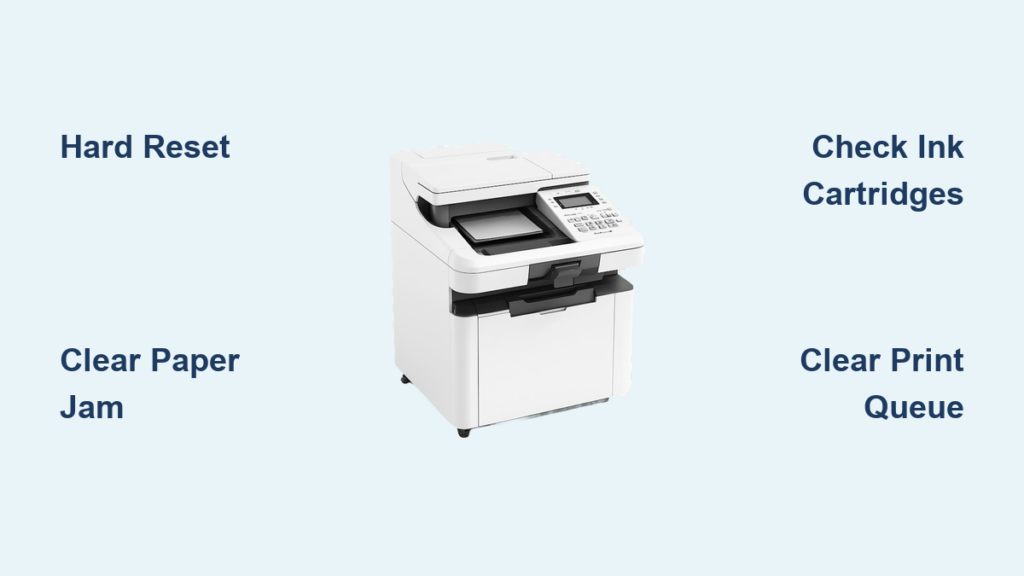
When your Konica printer jams mid-job or prints streaky pages right before a deadline, stress levels spike fast. Konica Minolta machines are staples in offices because they deliver fast, reliable output and crisp documents. But even the toughest workhorses need regular care and occasional Konica printer repair to stay productive.
This guide walks you through diagnosing common problems, performing professional-grade maintenance, choosing certified service providers, and deciding when to repair or replace. You will also find expert help in New York City and San Diego for fast, qualified support.
Diagnose Konica Printer Problems Quickly

Paper Jams and Wrinkled Output
Paper jams rank as the most common Konica printer issue. They usually stem from:
- Dirty paper feed rollers
- Static buildup inside cassettes
- Wrong paper type or moisture-damaged sheets
- Worn pickup rollers
Visual cues: Crumpled paper stuck mid-path, especially near the fuser or ADF. Wrinkled copies usually point to a failing fuser unit.
Quick fix steps:
1. Power off the printer.
2. Open all access panels.
3. Gently remove jammed paper, pulling straight to avoid tearing.
4. Inspect rollers for debris or wear.
⚠️ Pro Tip: Never force paper out. Tearing leaves fragments that trigger future jams.
Poor Print Quality and Image Defects
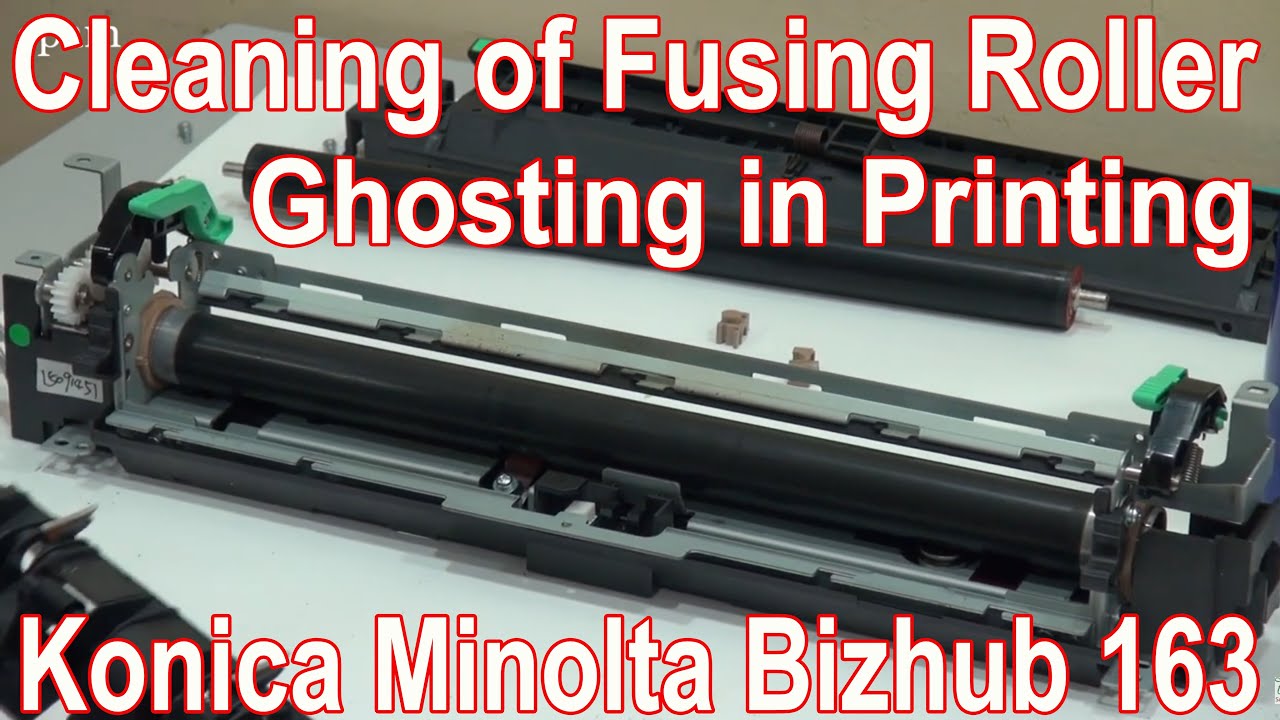
Faded text, streaks, or ghosting signal internal contamination or component wear.
White Stripe on Magenta Print
A white stripe on magenta output typically points to:
- Clogged magenta laser window
- Toner clumping in the magenta drum
- Dirty optics or scanner glass
Even if only one color shows defects, clean all four laser windows (cyan, magenta, yellow, black) to keep colors balanced.
Ghosting and Smudging
Common causes include:
– Dirty fuser rollers
– Residual toner on drums
– Failing static charge roller
Fix: Clean the fuser and drums using approved tools detailed in the maintenance section below.
Network Printing Failures
If your computer cannot send jobs to the Konica copier, the issue may not be the printer at all.
Is It the Network or the Printer?
- Check if other users can print.
- Restart the printer and router.
- Ping the printer’s IP address from a computer.
- Verify printer status on the control panel.
If the network checks out but problems persist, the printer’s network card or firmware may need repair.
Expert Note: Always consult your IT team first. If they rule out network issues, call a Konica repair technician for copier-side diagnostics.
Repair vs. Replace: Make the Right Call
When to Repair
Consider repair if:
– Your Konica printer is under 5 years old
– The issue is isolated (fuser, drum, or ADF)
– Replacement cost exceeds 50% of a new unit
– You are under a service contract
Common repairable parts include:
– Fuser units
– Drums
– ADF rollers
– Toner cartridges (if not damaged)
When to Replace
Replace instead of repair when:
– The printer has chronic issues like multiple jams or recurring errors
– It is past 7–8 years of heavy use
– Annual maintenance costs exceed $300
– It lacks modern features such as cloud or mobile printing
Smart move: Ask your service provider, “Would it be cheaper to lease a new Konica printer?” Many offer deals on updated models like the Bizhub C-Series with better efficiency and connectivity.
Professional Konica Repair Services
NYC: FineStar Imaging
Service Area: New York City
Phone: (888) 371-1203
Hours: 8am–5pm, Monday through Friday
What They Offer:
– On-site Konica Minolta printer and copier repair
– Service contracts and managed print services
– Toner Recycling NYC program for eco-friendly disposal
– Genuine parts and toner in stock
Why Choose Them:
– Expertly trained technicians
– Fast response for business-critical devices
– Full support for Brother, Canon, HP, Xerox, and more
San Diego: Konica Repair of San Diego (ameriteks.com)
Service Area: San Diego County (up to 30 miles)
Includes: Downtown, Chula Vista, Oceanside, Coronado, El Cajon, Escondido, La Mesa, Del Mar, Santee, and more
Phone: (619) 471-1897
Hours: 8am–5pm, Monday through Friday
What They Offer:
– Same-day and next-day service
– Preventative maintenance programs
– Certified techs with 20+ years of experience
– Part of a national network with 350+ copier technicians
Why Choose Them:
– Thousands of Konica repairs completed
– Supports Canon, Ricoh, Sharp, and other major brands
– Fast diagnostics and minimal downtime
Need help outside these areas? ameriteks.com has nationwide coverage with offices in Los Angeles, Orange County, and San Bernardino.
Step-by-Step Konica Printer Maintenance Guide
Regular maintenance prevents most Konica printer problems. Follow this checklist every 5,000–10,000 prints or twice a year.
Clean the ADF Rollers
Dirty ADF rollers cause misfeeds and wrinkled scans.
Tools needed:
– Lint-free cloth
– Isopropyl alcohol or Novogum Extra
– Soft brush or vacuum
Steps:
1. Lift the ADF cover.
2. Locate the rubberized rollers.
3. Wipe with a cloth dampened with alcohol.
4. Brush away paper dust.
5. Vacuum debris from the paper path.
Pro Tip: Use Novogum Extra for sticky rollers. It restores grip without leaving residue.
Maintain Scanner Optics
Blurry or ghosted scans mean dirty glass or mirrors.
Tools:
– High-quality glass cleaner
– Lint-free cloth
– Vacuum
Steps:
1. Power off and open the scanner.
2. Remove the glass carefully.
3. Vacuum interior dust.
4. Clean both sides of the glass.
5. Wipe mirrors gently without scratching.
6. Clean the ADF white screen to prevent ghosting.
7. Reinstall the glass securely.
⚠️ Caution: Never use abrasive cleaners on mirrors or glass.
Remove Toner Residue
Leftover toner causes smudges and internal damage.
Tools:
– Antistatic service vacuum
– Laser window cleaner
Steps:
1. Remove the waste toner box.
2. Vacuum around the drum area.
3. Clean under all four drums.
4. Use a dedicated laser window cleaner on all four windows (cyan, magenta, yellow, black).
Critical: Never use regular vacuums. They generate static that can damage electronics.
Inspect and Clean Drums
Drums are sensitive, so inspect for damage before cleaning.
Steps:
1. Remove each drum carefully.
2. Check for scratches or scuffs and replace if damaged.
3. Wipe with a dry, lint-free cloth.
4. Reinstall properly without touching the surface.
Note: Even if only one color shows defects, inspect all drums. Contamination spreads quickly.
Clean Paper Feed Rollers and Cassettes
Sticky or worn rollers cause misfeeds.
Steps:
1. Remove paper trays.
2. Wipe rollers with an alcohol-dampened cloth.
3. Clean cassette rails with anti-static fluid.
4. Wipe outer casings to reduce static buildup.
Time Estimate: 15 minutes. Do this monthly in high-volume offices.
Service the Fusing Unit

The fuser bonds toner to paper with heat. Smudging on warm prints means it is failing.
Steps:
1. Power off and let the unit cool.
2. Remove the fuser unit.
3. Vacuum inside the printer.
4. Clean fuser rollers with alcohol.
5. Check for toner buildup or wear.
Replace if:
– Rollers are glazed or cracked
– Heating ribbon is damaged
– Cleaning does not restore quality
Difficulty Level: Moderate. Best handled by technicians unless you have experience.
Reset the Maintenance Counter
After servicing, reset the counter to avoid false alerts.
How to Reset (General Bizhub Models):
1. Press Utility/Counter, then Meter Count.
2. Navigate to Maintenance.
3. Select Reset for each component (drum, fuser, etc.).
4. Confirm and close.
Why It Matters: Prevents “Replace Fuser” or “Check Drum” errors after cleaning.
Use Genuine Supplies to Protect Your Investment
Why Authentic Toner Matters
Non-genuine toner may cost less upfront but leads to:
– Poor print quality
– Drum and fuser damage
– Voided warranties
– Increased toner spills and jams
Konica Minolta toner is engineered for:
– Consistent melting point
– Optimal particle size
– Low static buildup
Pro Tip: Pair genuine toner with Konica ink cartridges for seamless color alignment and long-term reliability.
Toner Recycling in NYC
FineStar Imaging offers a Toner Recycling NYC program with free pickup or drop-off and eco-friendly disposal. Call (888) 371-1203 to enroll.
Prevent Future Konica Printer Repairs
Daily Habits That Extend Printer Life
- Use the correct paper type and avoid wrinkled or damp sheets
- Do not overload paper trays
- Power down at night to reduce heat stress
- Report issues early instead of ignoring warning lights
Schedule Professional Maintenance
Even with daily care, internal components need expert attention.
Recommended Schedule:
– Every 6 months or 10,000 prints
– After major print jobs of 500+ pages
– Before peak business seasons
Benefits:
– Prevents most breakdowns
– Keeps print quality sharp
– Reduces emergency repair costs
When to Call a Technician
Call a certified Konica repair tech if you notice:
– Solid error codes (examples: C-2555, C-3452)
– Repeated paper jams in the same location
– White lines across all colors
– Burnt smell during printing (fuser issue)
– Network disconnection that will not resolve
Don’t DIY complex issues. One wrong move can damage the laser scanner or motherboard.
Frequently Asked Questions About Konica Printer Repair
What is the most common Konica printer problem?
Paper jams top the list. They usually result from dirty rollers, static buildup, wrong paper type, or worn pickup components. Regular cleaning every 5,000 to 10,000 prints prevents most jams.
How often should I service my Konica Minolta printer?
Professional maintenance twice a year keeps your printer running like new. High-volume offices should schedule service every 5,000 to 10,000 prints or after large print runs.
Can I use third-party toner in my Konica printer?
You can, but it is risky. Non-genuine toner often causes poor print quality, drum damage, and voided warranties. Authentic Konica Minolta toner protects your investment and extends printer life.
How do I fix a white stripe on magenta prints?
Clean all four laser windows (cyan, magenta, yellow, black) using a dedicated laser window cleaner. Check the magenta drum for clumped toner and inspect scanner glass for dirt. If the problem continues, the drum may need replacement.
When should I replace instead of repair my Konica printer?
Replace your printer if it is past 7–8 years old, has chronic issues, or if annual maintenance costs exceed $300. Ask your service provider whether leasing a new Bizhub C-Series model would be more cost-effective.
Where can I find certified Konica printer repair near me?
FineStar Imaging serves New York City at (888) 371-1203. ameriteks.com covers San Diego County at (619) 471-1897 and has additional locations in Los Angeles, Orange County, and San Bernardino with nationwide network support.
Key Takeaways for Konica Printer Repair Success
Konica Minolta printers deliver speed, quality, and efficiency when properly maintained. Most repair needs come from skipped cleanings, non-genuine supplies, or ignored warning signs. By following the maintenance schedule in this guide, using authentic toner, and calling certified technicians early, you can extend your printer’s life and avoid costly downtime.
For complex issues or biannual professional service, trusted providers like FineStar Imaging (NYC) and Konica Repair of San Diego offer fast, certified support to get you back online quickly.
Keep printing smoothly: Clean often, use real toner, and partner with experts when needed.