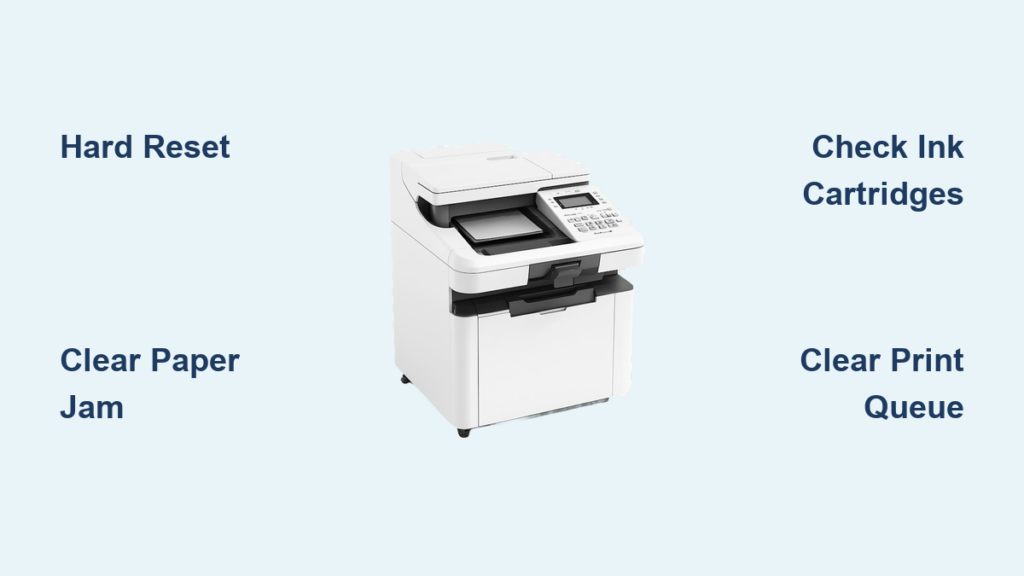
Is your OKIDATA printer failing to print, producing faint or missing characters, or refusing to power on? You’re not alone. OKIDATA printers, especially legacy impact models like the Microline series, are known for durability, but even these workhorses eventually need repair or maintenance. Whether you’re troubleshooting a dot matrix printer at a warehouse, a label printer in a shipping facility, or a laser model in an office, the right OKIDATA printer repair strategy saves time and money.
This guide delivers actionable repair steps, certified service providers, and maintenance tips to get your OKIDATA printer running like new. From DIY cleaning procedures to nationwide repair networks, you’ll learn exactly how to diagnose issues, find trusted technicians, and extend your printer’s lifespan.
Find Certified OKIDATA Repair Services Nationwide
Peak Technologies: Nationwide Authorized Support
For businesses and individuals across the U.S. and Canada, Peak Technologies is the go-to authorized service provider for OKIDATA printer repair. As a factory-certified partner, their technicians are trained to repair and maintain the full OKIDATA lineup, including impact, label, laser, and multifunction devices.
What they offer:
– Factory-certified OKIDATA technicians
– Onsite, depot, and corral repair options
– Time-and-materials or contract-based service
– Genuine OKIDATA toners, ribbons, and developer units
Request a fast quote online for repair contracts or emergency service. This makes them ideal for enterprise environments needing guaranteed response times and OEM parts.
Landmark Systems: Southeast Michigan Specialists
If you’re in southeast Michigan, Landmark Systems offers affordable, responsive OKIDATA printer repair with same-day or next-day service. They specialize in OKI Dot Matrix, Impact, Laser, and MICROLINE printers.
Service highlights:
– On-site and depot repair (depot is cheaper, no travel fees)
– “Hassle Free” service contracts for ongoing maintenance
– 4-hour on-site response in Wayne, Oakland, Macomb, and Monroe counties
Contact:
📞 (248) 589-9665
📧 Request a repair quote via email
Service area includes Wayne, Oakland, Macomb, Monroe, Washtenaw, Genesee, Lapeer, Livingston, and St. Clair counties. Cities covered include Detroit, Ann Arbor, Flint, Ypsilanti, Livonia, and Warren. New customers can save with available service coupons.
South Florida OKIDATA Repair Providers
In the Fort Lauderdale, Davie, and Miami area, several local providers offer OKIDATA printer repair, though availability varies. Always call ahead to confirm current status.
Top Active Providers:
– Swensen Computer Services (Cooper City)
📞 (954) 434-2005 | Open 24 hours
Offers printer and network support; DELL-certified technician with 30 years in business.
-
Aventura PC Repairs (Golden Beach)
📞 (786) 345-7027 | Open 24 hours
Known for reliable fixes and virus removal; 24 years in business. -
Choice Printers (Miami Lakes)
📞 (305) 624-7005 | 28 years in business
Repairs laser, dot-matrix, receipt, and thermal label printers. Offers on-site fixes for simple issues.
Other Nearby Options:
– A-1 Copy Tech (Davie) – 44 years in business, fast paper jam fixes
📞 (954) 923-1980
Note: Many listed providers are currently closed or have moved. Always call ahead to confirm availability before visiting.
OKIDATA Printer Models Commonly Serviced
Color Laser Models
These models are commonly serviced for OKIDATA printer repair:
– C331dn, C3400, C3600, C5300, C531dn
– C5400, C5500n, C5650n, C610, C6100
– C711, C711WF, C7200n, C7400n, C7500n
– C811, C831, C900, C9300, C9500, C9650n, C9800
Mono Laser Models
Popular monochrome models include:
– B412dn, B432dn, B4600, B512dn, B712dn
– B731dn, B4100, B6200, B6250n, B6300n
– B6500, B4000, MB470, MB471
Multifunction Printers (MFPs)
Common MFPs in need of repair:
– ES9465, ES9475, MB472W, MB492, MB562W
– B4545, MB760+, MB770+, MC362w, MC562w
– MC770+, MC780+, MC873dn
Impact and Dot Matrix Printers
Legacy models still widely used:
– Microline 1120, 186, 320, 321, 390, 391, 393, 395
– Microline 420, 421, 490, 491, 521, 590, 591, 600
– Microline 8810, Pacemark 3410, Pacemark 4410
Label Printers
For shipping and logistics applications:
– LE840, LE850, LD630, LD640
Service providers may support additional models not listed. Always confirm compatibility before shipping your printer.
DIY OKI Dot Matrix Printer Repair Steps
Power Down and Open the Printer Safely
Before any OKIDATA printer repair, disconnect power and remove the outer casing. This prevents electrical hazards and gives access to internal components.
What to inspect:
– Dried ink on the print roller
– Cracked or faded ribbon
– Paper debris in the feed path
– Dust or grime on guide rails
If the roller is blackened with ink buildup, it’s likely causing smudged or incomplete prints.
Replace and Clean the Ribbon Properly
A worn ribbon is the most common cause of poor print quality.
Steps:
1. Remove the old ribbon. Check for cracks, fading, or ink starvation
2. Install a model-specific OKIDATA ribbon (Microline 320 uses specific ribbons)
3. Use a soft brush to loosen dried ink on the roller
4. Vacuum debris with low suction
5. Dampen a lint-free cloth or Chux wipe with isopropyl alcohol
6. Gently wipe the roller in circular motions, rotating it slowly
Avoid:
❌ Touching the print head with alcohol
❌ Using household cleaners (they damage rubber rollers)
Lubricate the Print Head Rails Correctly

Dry guide rails cause jerky movement and misalignment.
Proper method:
1. Spray silicone oil onto a cloth, not directly on the rail
2. Wipe the metal guide rails lightly
3. Remove excess oil immediately to prevent smearing
Never use:
❌ Petroleum-based lubricants—they attract dust and degrade components
Clean the Print Head Pins Carefully
Missing characters? Clogged print pins are the likely culprit.
How to clean:
1. Unclip the print head and pull it straight out
2. Inspect the tiny metal pins at the tip
3. Use an alcohol-dampened cloth to wipe the pin area
4. Do not bend or force the pins
5. Reinstall only when dry
If pins are bent or broken, replacement may be needed.
Fix Faint or Missing Characters
After cleaning, if print quality is still poor:
Try these fixes:
– Increase DPI in the printer driver settings (from 60 dpi to 120 dpi)
– This improves dot density and can mask weak pins
– Trade-off: Slower print speed, but avoids $100+ print head replacement
Verify:
– Ribbon is properly seated
– Paper feed moves smoothly
– All internal cables are connected
Reassemble and Test Print
Once cleaned:
1. Reinstall the print head
2. Insert a fresh ribbon
3. Replace the casing
4. Power on and run a test page
If characters are sharp and fully formed, the OKIDATA printer repair is complete.
Pro tip: Run a continuous print test to check for consistency.
OKIDATA Printer Maintenance Tips for Longevity
Clean Every 6–12 Months
Frequency depends on usage:
– High-volume environments (warehouses, hospitals): every 6 months
– Office use: every 12 months
Regular cleaning prevents ink buildup and extends print head life.
Use Approved Cleaning Supplies Only
Stick to these materials:
– Isopropyl alcohol for rollers and print heads
– Silicone oil for guide rails
– Lint-free cloths or Chux wipes to avoid lint
Never use:
– WD-40, degreasers, or window cleaners
– Compressed air (can force debris deeper)
Keep Spare Ribbons On Hand
OKIDATA ribbons are model-specific. Stock up on:
– Microline 320/390 ribbons
– Microline 420/490 ribbons
– Pacemark series ribbons
Using compatible ribbons reduces downtime.
Avoid Print Head Replacement If Possible
A new print head costs around $100 and is often unnecessary. Try:
– Deep cleaning
– DPI adjustment
– Ribbon replacement
Only replace if multiple pins are broken or missing.
Compare OKIDATA Printer Repair Service Options
On-Site vs. Depot Repair
| Option | Best For | Cost | Turnaround |
|---|---|---|---|
| On-site | Urgent fixes, large printers | Higher (includes travel) | 4–24 hours |
| Depot | Cost savings, non-urgent | Lower (no travel fees) | 3–7 days |
Landmark Systems notes depot repair avoids travel charges.
Service Contracts for Businesses
Ideal for offices with multiple OKIDATA printers:
– Landmark Systems: “Hassle Free” Maintenance Agreement
– Peak Technologies: Custom repair contracts
Benefits include priority service, predictable costs, and preventive maintenance.
Time-and-Materials Basis
Pay per repair. Best for:
– One-time fixes
– Older models not under contract
– Budget-conscious users
Ask for a quote before work begins.
Troubleshoot Common OKIDATA Printer Failures
No Power or Indicator Lights
Check:
– Power cable and outlet
– Internal fuse (if accessible)
– Power supply unit (PSU) for burn marks
If no lights, the PSU may need replacement.
Paper Jams in Impact Printers

Steps:
1. Power off
2. Open paper path
3. Gently remove stuck paper
4. Check for torn fragments
5. Clean feed rollers with alcohol
Prevent future jams:
– Use correct paper thickness
– Align paper guides
– Clean rollers monthly
Faded or Uneven Printing
Causes:
– Worn ribbon
– Dirty print head
– Low ink transfer
Fix:
1. Replace ribbon
2. Clean print head and roller
3. Increase DPI
Printer Not Recognized by Computer
Troubleshoot:
– Check USB or parallel cable
– Reinstall OKIDATA drivers
– Test on another computer
– Try a different port
Legacy models may need DOS or Windows 7 drivers.
When to Replace vs. Repair Your OKIDATA Printer
Repair If:
- Printer is under warranty or service contract
- Issue is ribbon, roller, or paper jam
- Print head is cleanable
- Cost of repair is less than 50% of a new unit
Consider Replacement If:
- Print head is damaged beyond cleaning
- Printer is over 10 years old
- Parts are obsolete
- Frequent recurring issues occur
A Microline 320 from 2005 can often be repaired for $150 versus $600+ for a new impact printer.
Frequently Asked Questions About OKIDATA Printer Repair
Where can I find certified OKIDATA printer repair near me?
Peak Technologies offers nationwide OKIDATA printer repair across the U.S. and Canada. In southeast Michigan, Landmark Systems provides same-day or next-day service. For South Florida, Swensen Computer Services and Aventura PC Repairs are currently open 24 hours.
How much does OKIDATA printer repair cost?
Costs vary by issue. A new print head costs approximately $100, while depot repair is generally cheaper than on-site service because it avoids travel fees. Contact providers for specific quotes.
Can I repair my OKI dot matrix printer myself?
Yes, common issues like faded prints, dirty rollers, and worn ribbons can be addressed with isopropyl alcohol, silicone oil, and a replacement ribbon. The process involves cleaning the roller, lubricating guide rails, and cleaning the print head pins.
What cleaning supplies should I use for OKIDATA printers?
Use only isopropyl alcohol for rollers and print heads, silicone oil for guide rails, and lint-free cloths or Chux wipes. Never use household cleaners, petroleum-based lubricants, WD-40, or compressed air.
How often should I clean my OKIDATA printer?
Clean every 6 months for high-volume environments like warehouses or hospitals. For office use, clean every 12 months. Regular maintenance prevents ink buildup and extends print head life.
Should I repair or replace my old OKIDATA printer?
Repair when the printer is under contract, the print head is cleanable, or repair costs are less than 50% of replacement. Consider replacement if the printer is over 10 years old, parts are obsolete, or issues keep recurring.
Final Takeaways for OKIDATA Printer Repair Success
OKIDATA printers are built to last, but they need proper care. Start with DIY cleaning using isopropyl alcohol and silicone oil. For common issues like faded prints, dirty rollers, and worn ribbons, these supplies resolve most problems without professional service.
If DIY fixes fail, contact a certified provider. Peak Technologies handles nationwide OKIDATA printer repair, while Landmark Systems serves southeast Michigan with same-day options. In South Florida, verify current status before visiting, as many shops have closed.
With regular maintenance every 6–12 months and approved cleaning supplies, your OKIDATA printer can deliver reliable performance for years. Next step: Check your ribbon and roller condition today to prevent costly breakdowns tomorrow.
Research document (citation source reference)
(no reference document available)